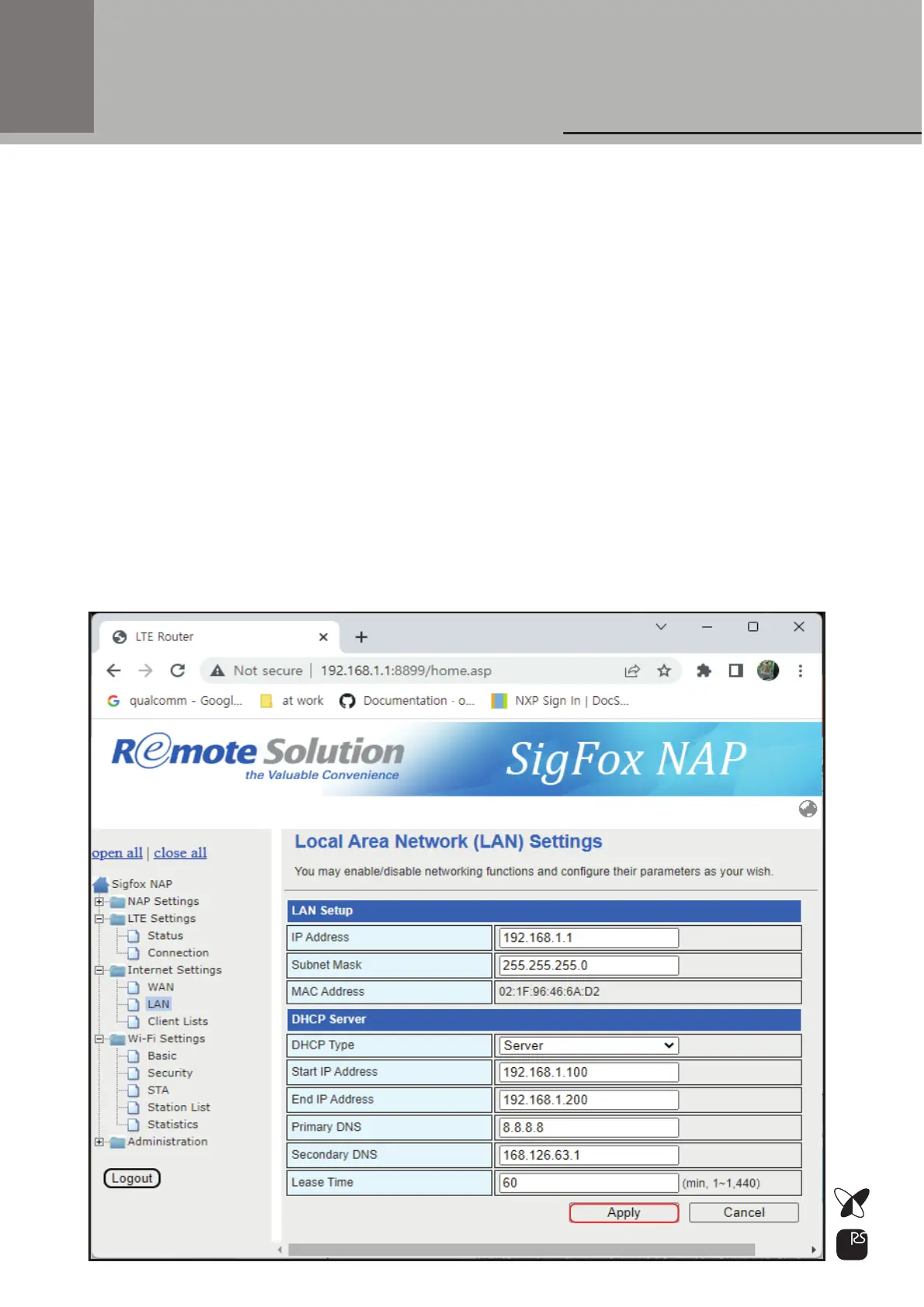
LAN Configuration
If LAN IP address and WAN IP address have the same subnet
you need to change LAN IP address and DHCP server settings
1)
Enter new LAN IP address and DHCP Server settings.3)
LAN IP address and DHCP Server’s Start IP Address &
End IP address have to be same subnet
4)
5) Click Apply
Default LAN IP address is 192.168.1.12)
IP address: 192.168.10.1
Start IP Address: 192.168.10.10
End IP Address: 192.168.10.100
Primary DNS: 8.8.8.8(google) or other DNS address
Secondary DNS: any DNS address
Lease Time: value in minutes
Eg.)
20



 To Next Page