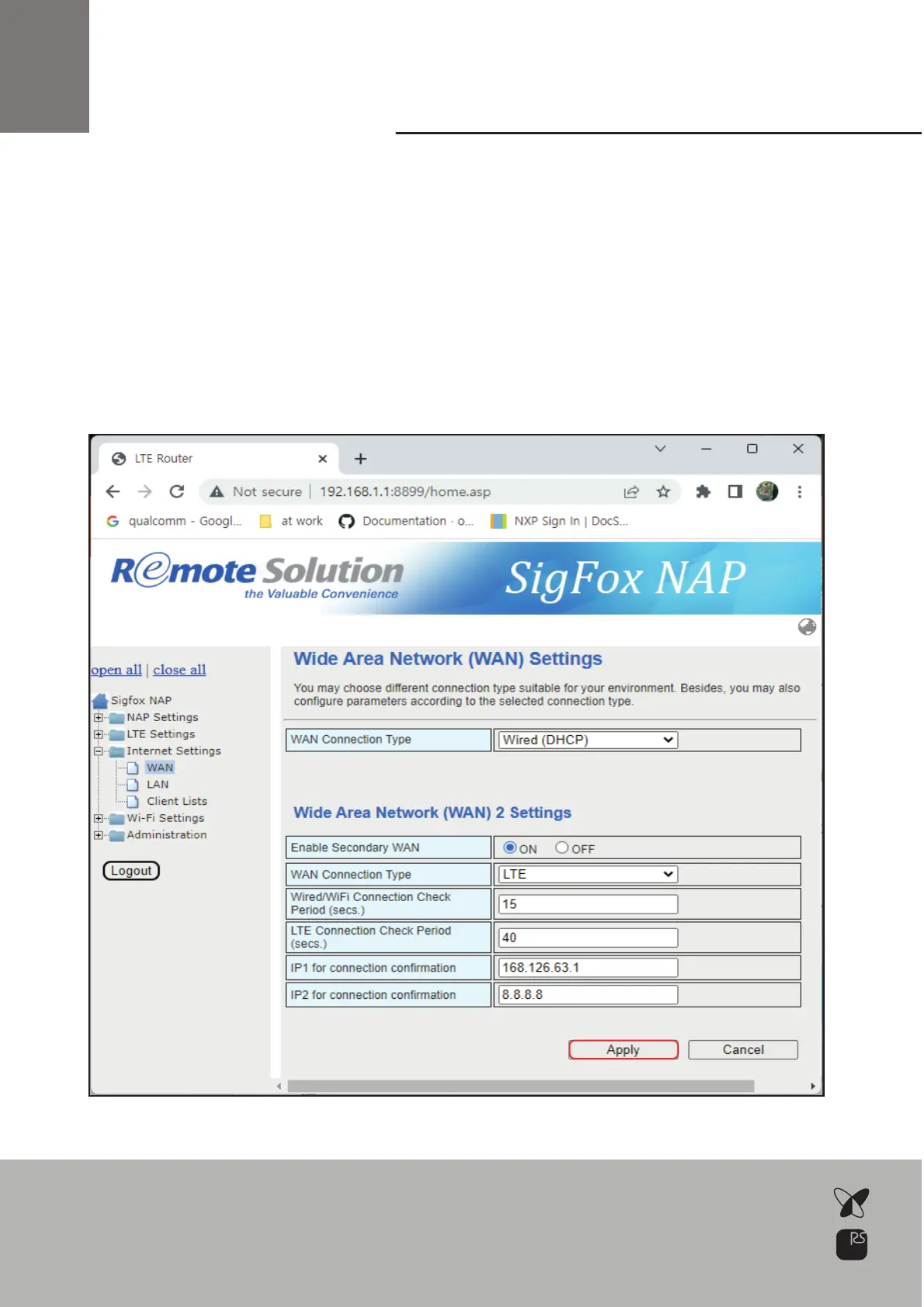
Secondary
WAN Setup
Click Apply
Select Enables Secondary WAN: ON
Select WAN Connection type: DHCP/Static/LTE/WiFi(STA)
*Note: You have to select different type with above (LTE or WiFi(STA))
If you enable secondary WAN,
NAP will monitor network status with check period & IP1/1P2 address
When primary or secondary WAN communication failure,
NAP will switch to alternative WAN
19



 To Next Page