- All the external disconnect switches are closed.
- The DC switch of the inverter is in the “ ON “ positon.
Enter the setting interface.
Set the safety standard as page 35; Set the system time as page 35; PV connection mode
as page 36; Set the work mode as page 36; Set charger as page 38; Set the EPS as page
40; Set WIFI according to the wifi manual;
NOTE!
Please set the inverter if it is the first time to start up.
Above steps is for the regular start-up of the inverter. If it is the first time to start
up the inverter , you need to start up the inverter.
7 Operation method
7.1 Control pane
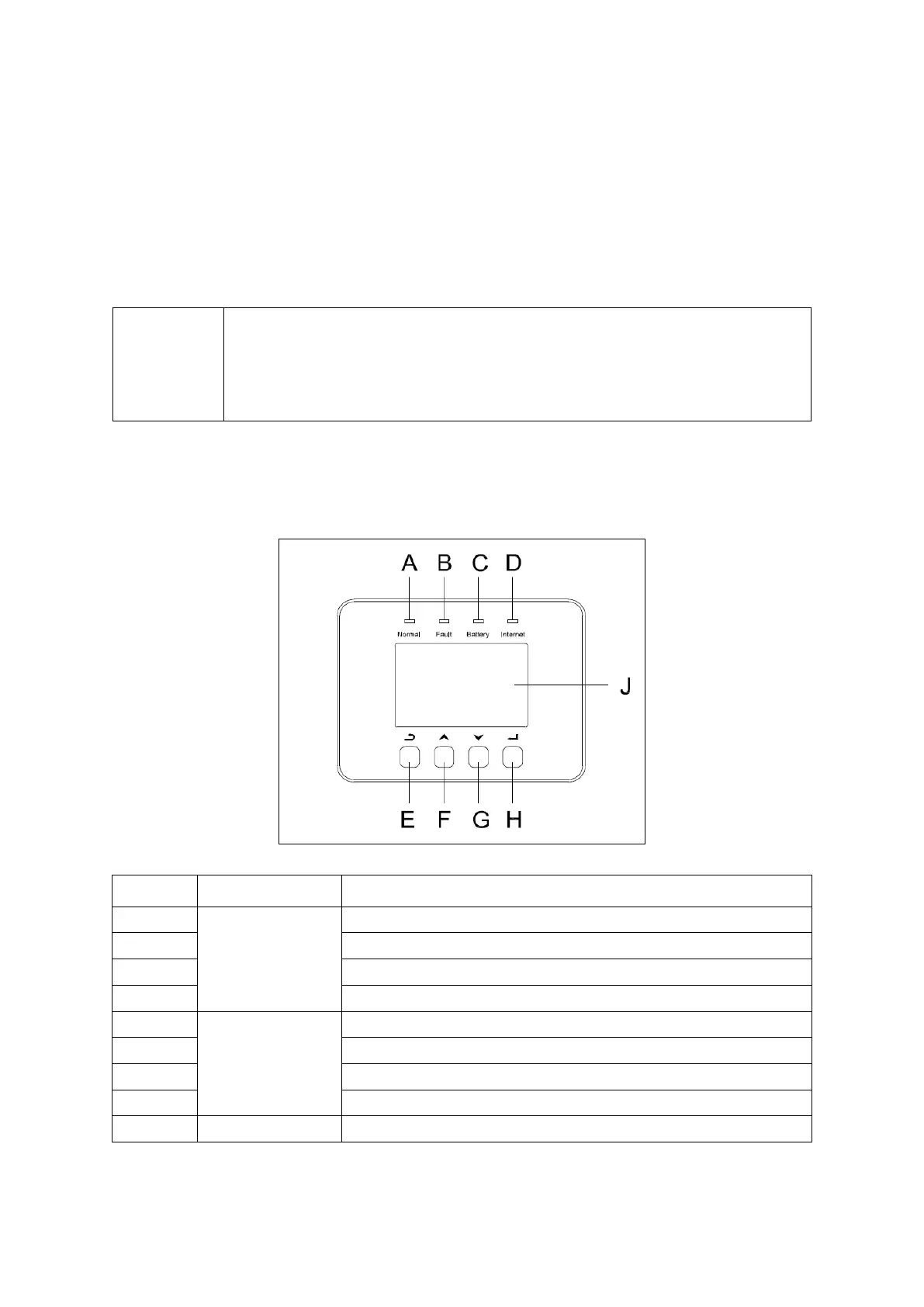
Green: Normal working Status.
Blue: Battery charging or discharging
Yellow: Communication status.
ESC button: Leave from current interface or function.
Up button: Move cursor to upside or increase value.
Down button: Move cursor to downside or decrease value.
OK button: Confirm the selection.
Display the information of the inverter.



 To Next Page