STARTING, STOPPING THE ENGINE - VEHICLE WITH CARD
3
Driving - 93
|
Once you have gained access to your
vehicle, you may use some of its func-
tions (radio, navigation, wipers, etc.).
To use the other functions, with the
card in the passenger compartment,
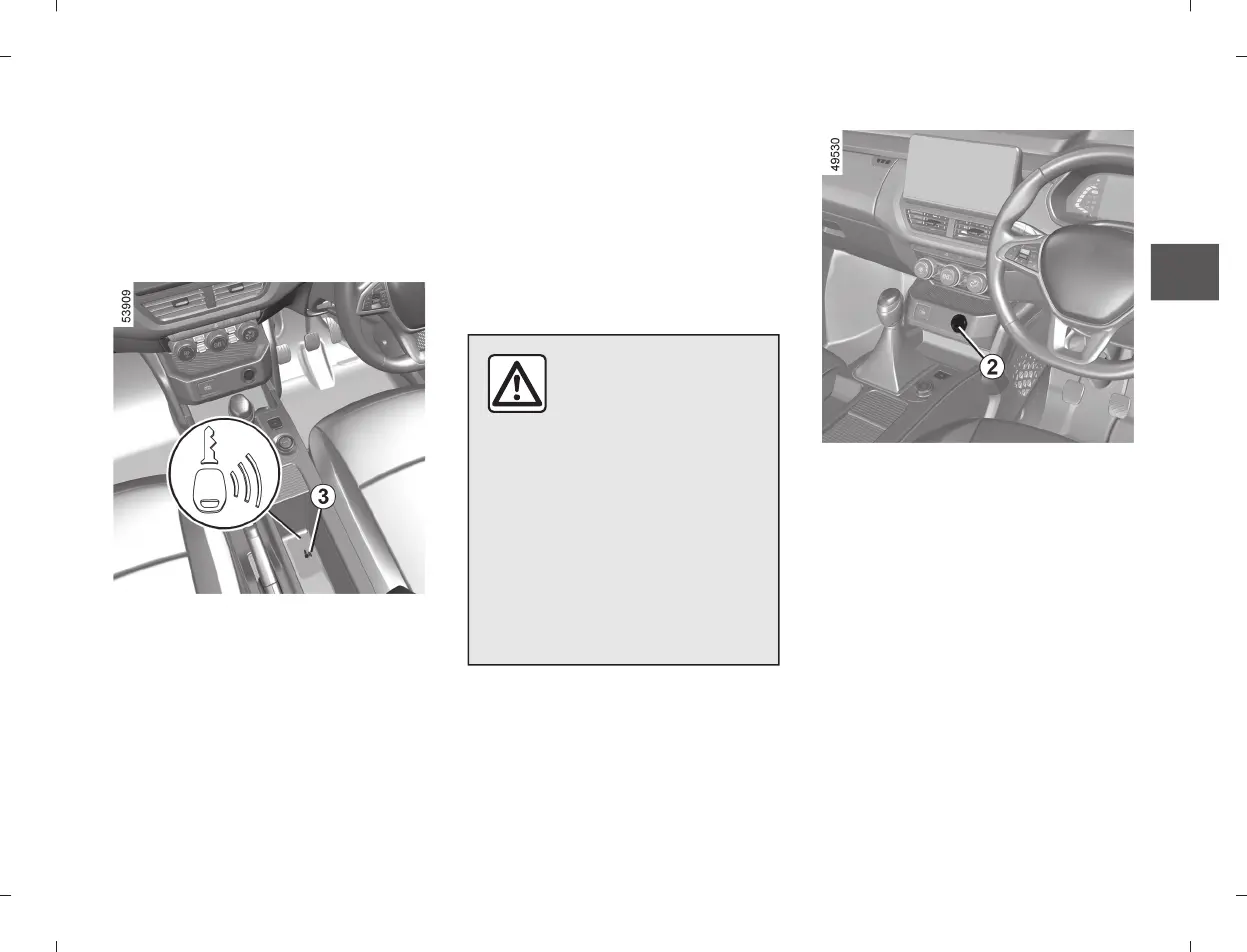
press the
2
button without pressing
the pedals.
Operating faults
In certain cases, the hands-free card
may not work :
– when the card battery is drained, flat
battery, etc.,
– near to appliances operating on the
same frequency as the card (monitor,
mobile phone, video game, etc.) ;
– vehicle located in a high electromag-
netic radiation zone.
The message,”KEY NOT DETECT
ED” appears on the instrument panel.
Press the brake or clutch pedal, then
place the hands free card in contact
with position
3
inside the centre con-
sole (depending on variants, slide the
console door to access the position 3)
around 2 seconds. Press
2
to start the
vehicle,the message goes out.
Never leave your vehicle
with the key or remote
control inside and never
leave a child (or a pet)
unsupervised, even for a short
while.
The reason for this is that the
child may endanger himself or
others by starting the engine, acti-
vating equipment such as the win-
dow winders for example, or lock-
ing the doors.
Risk of serious injury.
Conditions for stopping the engine
The vehicle must be stationary, with
the lever positioned in N for vehicles
with an automatic gearbox.
With the card in the vehicle, press but-
ton
2
: the engine stops. The steering
column is locked when the driver’s
door is opened or the vehicle is locked.
If the card is no longer in the passen-
ger compartment when you try to
switch the engine off, the message
“PRESS HOLD START” appears on
the instrument panel : press button 2
for longer than two seconds. If the card
is no longer in the passenger compart-
ment, make sure you can retrieve it
before pressing and holding the but-













 To Next Page