GB.14
LISTEN TO THE RADIO (2/3)
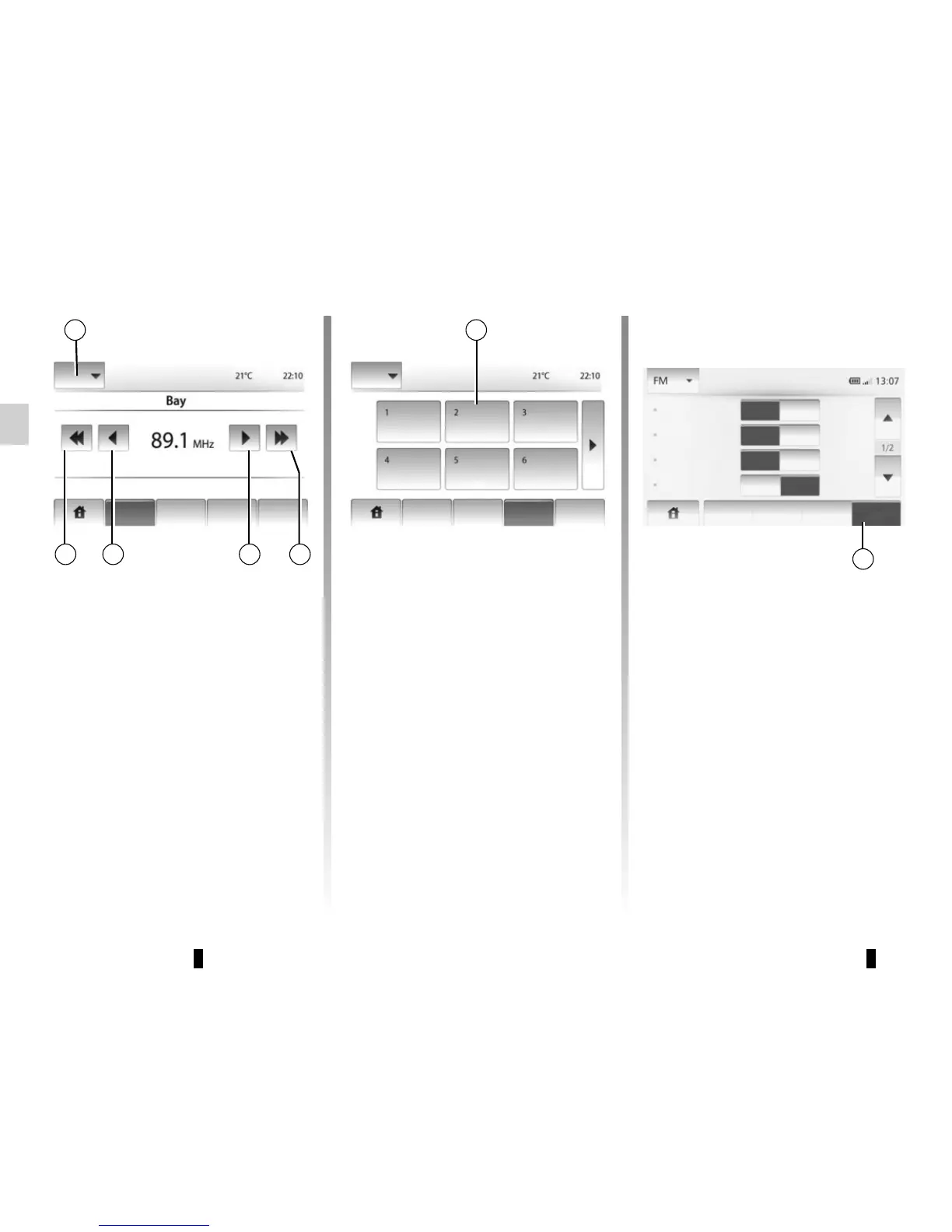
Manual mode
This mode allows stations to be
searched manually by scanning the se-
lected wavelength.
Scan the wavelength by repeatedly
pressing 3.
Briefly press 2 to start an automatic
search for radio stations.
Repeat the operation each time the
search stops if necessary.
You can also move wheel Q to launch
an automatic station search.
Storing a station
Select a radio station by using one of
the modes described above.
Press and hold one of the buttons on
the zone 8.
You can store up to 12 stations per
wavelength.
8
Radio settings
Display the settings menu by press-
ing 9. You can activate or deactivate
functions by pressing “On” or “Off” (the
setting menu varies depending on the
wavelength).
The available functions are as follows:
– RDS;
– TA (Traffic announcement);
– Region;
– News;
– AM;
– Update list.
9
1
2 3 3 2
Main List Preset Option
Main List
Preset Option
Main List Preset
Option
RDS
TA
Region
News
Off
Off
Off
Off
On
On
On
On


 To Next Page