GB.48
RECEIVING A CALL
Receiving a call
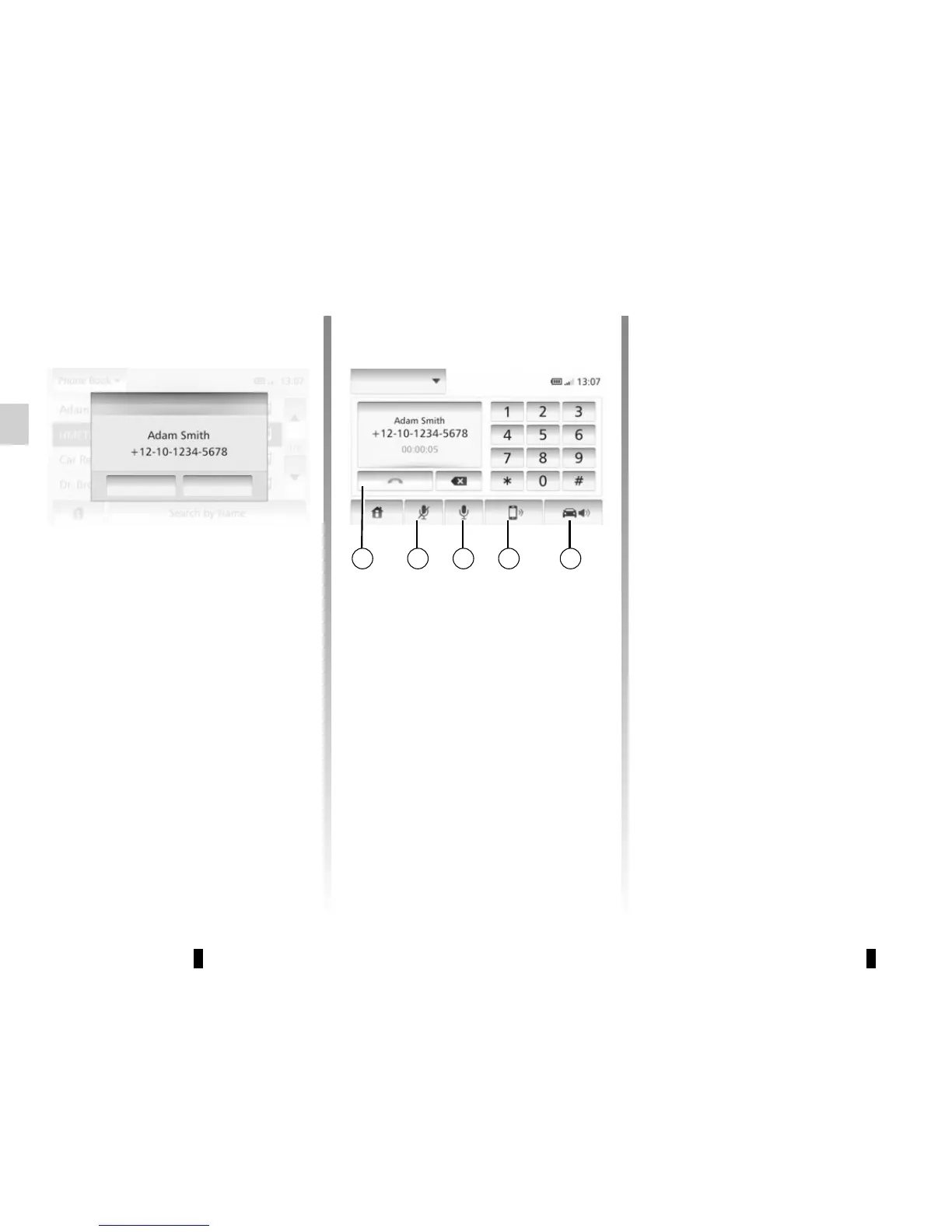
When receiving a call, the reception
screen is displayed with any informa-
tion available on the caller:
– the name of the contact (if the
number is present in the phonebook
list);
– the caller’s number;
– “Unknown” (if the number cannot be
viewed).
During a call
During a call you can:
– switch the microphone on/off by
pressing 2 or 3;
– hang up by pressing 1;
– hear sound through the phone spea-
ker by pressing 4;
– hear sound through the vehicle
speaker by pressing 5.
1 2 3 4 5
Incoming call
Accept
Refuse
Dial


 To Next Page