GB.4
GENERAL DESCRIPTION (1/3)
Introduction
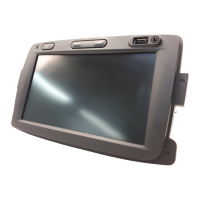
Your vehicle’s multimedia system per-
forms the following functions:
– RDS radio;
– management of auxiliary audio
sources;
– hands-free phone;
– navigation assistance;
– parking distance control (reversing
camera).
Radio functions
The multimedia system can be used
to listen to FM (frequency modulation),
and AM (amplitude modulation) radio
stations.
The RDS system makes it possible to
display the name of some stations and
also for information messages sent by
FM stations to be heard automatically:
– traffic bulletins;
– news bulletins;
– emergency messages.
Auxiliary audio function
You can listen to your personal stereo
directly through your vehicle’s speak-
ers. There are several ways of connect-
ing your personal stereo, depending on
the type of device you have:
– 3.5 mm Jack socket;
– audio multi-connection unit (USB);
– Bluetooth® connection.
For more information on compatible de-
vices, contact your approved manufac-
turer’s dealer or visit the manufacturer’s
website, where available.



 To Next Page