EN
Operation
Switching On
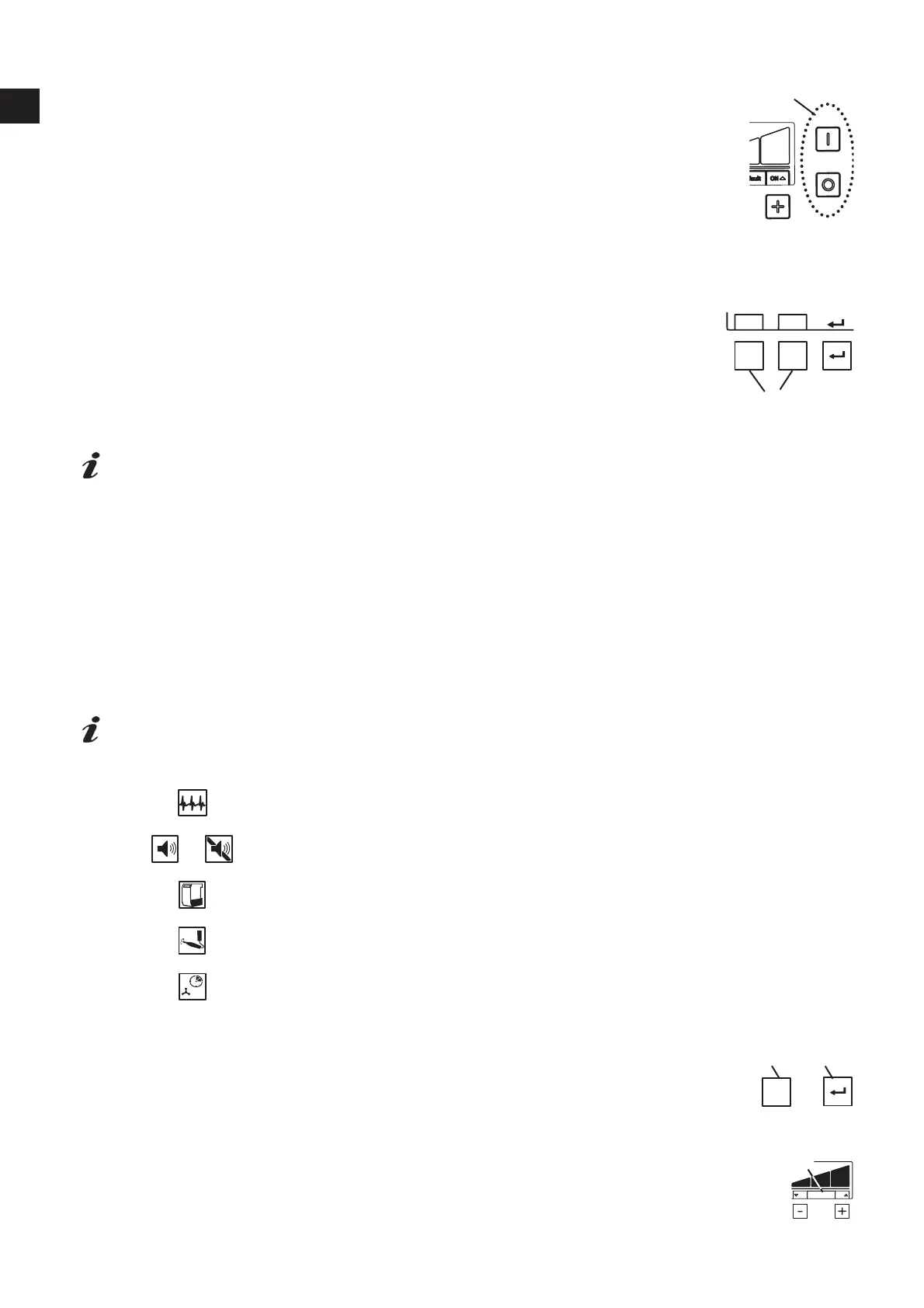
The suction unit is switched on and off via the on / off switch (3).
After activation:
Ƈ 7KHVXFWLRQXQLWSHUIRUPVDQDXWRPDWLF¿OWHUFOHDQLQJ
Stand-by
In the stand-by mode the display is dark.
Leave stand-by mode:
• Press any button.
• Switch on any electrical appliance connected to the extractor.
Select vacuum channel
Start / stop suction turbine and open / close corresponding pinch valve valve:
• Automatically:
The electrical appliance connected to the device socket (8A / 8B) is activated /
deactivated.
• Manually:
By pressing a suction hose button (29).
*GUIFTVDUJPOUPBDPOOFDUFEFMFDUSJDBMBQQMJBODFEPFTOPUSFBDUBTSFRVJSFEFHEPFTOPUBDUJ
WBUFFWFOUIPVHIBDPOOFDUFEEFWJDFJTJOPQFSBUJPOUIFOUIFTXJUDIPOUISFTIPMEGPSBVUPNBUJD
PQFSBUJPOIBTUPCFBEKVTUFE
Suction Power
Press the [-] key (31): Reduce suction
Press the [+] key (33): Increase suction
Setting the Parameter
On delivery, there are parameters set, which in most cases, make it possible to work with the suction unit
without problems. Only in individual cases, if this is not possible, the parameters can be changed.
The setting of various parameters and the execution of a self-diagnosis are carried out in the program-
ming mode.
*OGPSNBUJPOPOIPXUPTFUUIFQBSBNFUFSTBOEQFSGPSNBTFMGEJBHOPTJTDBOCFGPVOEJOUIFPQFS
BUJOHJOTUSVDUJPOTJOUIF*OUFSOFUPSJO'JHT%BOE&BUUIFTUBSUPGUIJTNBOVBM
The display indicates which parameters are set:
Perform self-diagnosis
/
Acoustic signal (buzzer) on / off
Time interval for full display (full) in the dust drawer
OFF
ON
Set switch-on interval for automatic (calibration)
Set after-run (time) for the suction turbine
To set the different parameters, press the Menu key 20.
7KHVHWWLQJVDUHFRQ¿UPHGDQGVDYHGZLWKWKH(QWHUNH\
Successful saving is acknowledged with an acoustic signal.
If a change is not accepted, pressing the Menu key (20) will abort the programming.
If the word “Default” (32) appears in the display, you can reset the value to the factory
setting by pressing the [-] and [+] keys at the same time.
3
A
B


 To Next Page