62
Operating Instructions
English
Operation
Button
• Activates the setting menu
• The menus and are available
• Touch the button in the setting menu.
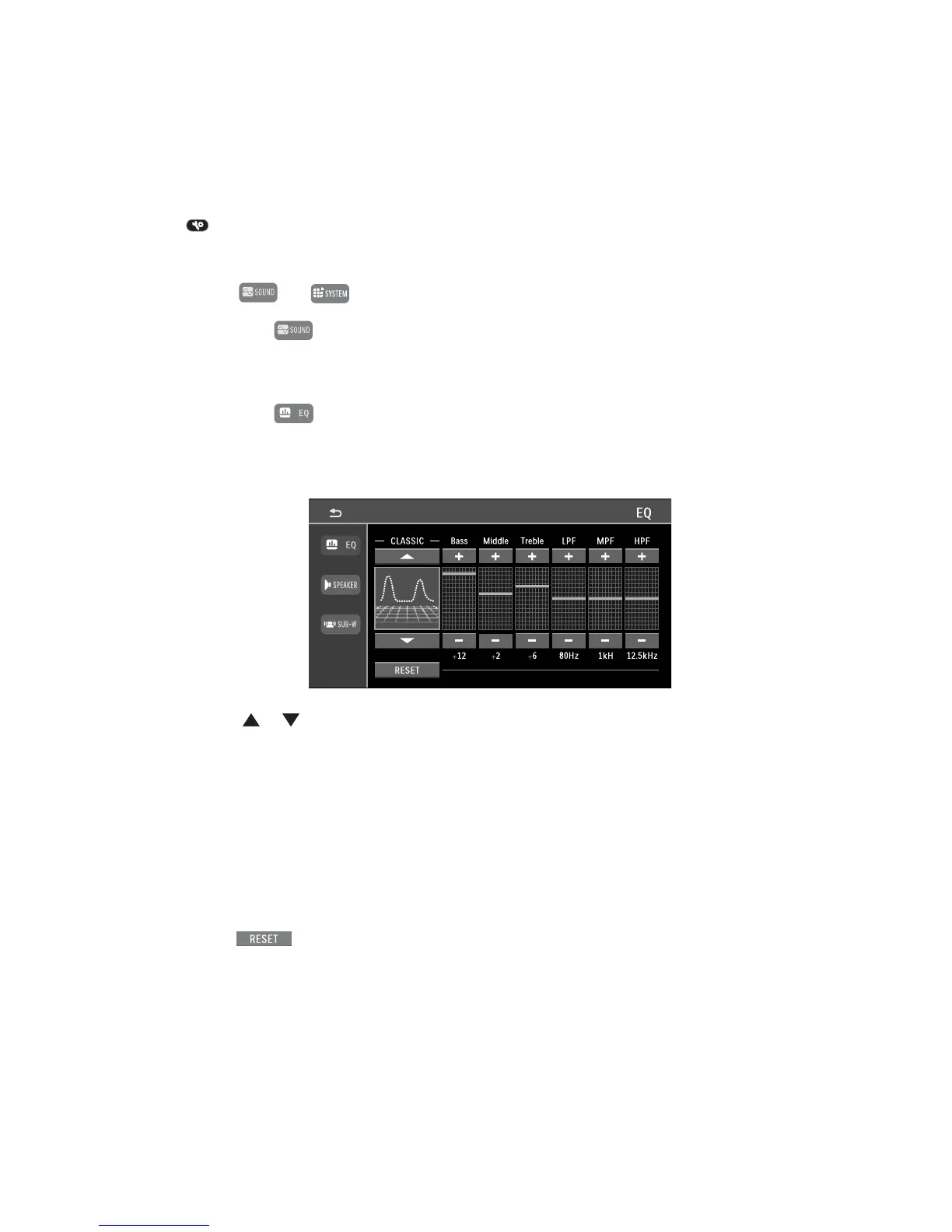
Equalizer setting
• Touch the button in the setting menu.
This function can also be reached right through the playback screen, e.g. for radio playback. For this,
touch the equalizer pre-setting at the upper right in the respective screen.
• The buttons or select the equalizer pre-settings:
USER / TECHNO / ROCK / CLASSIC / JAZZ / VOCAL / FLAT / POP
• The buttons + and - change the respective settings:
BASS = bass controller / LPF = center frequency of the bass controller BASS
MIDDLE = midtone controller / MPF = center frequency of the midtone controller MIDDLE
TREBLE = treble controller / HPF = center frequency of the treble controller
• The button resets the setting to factory settings.



 To Next Page