14
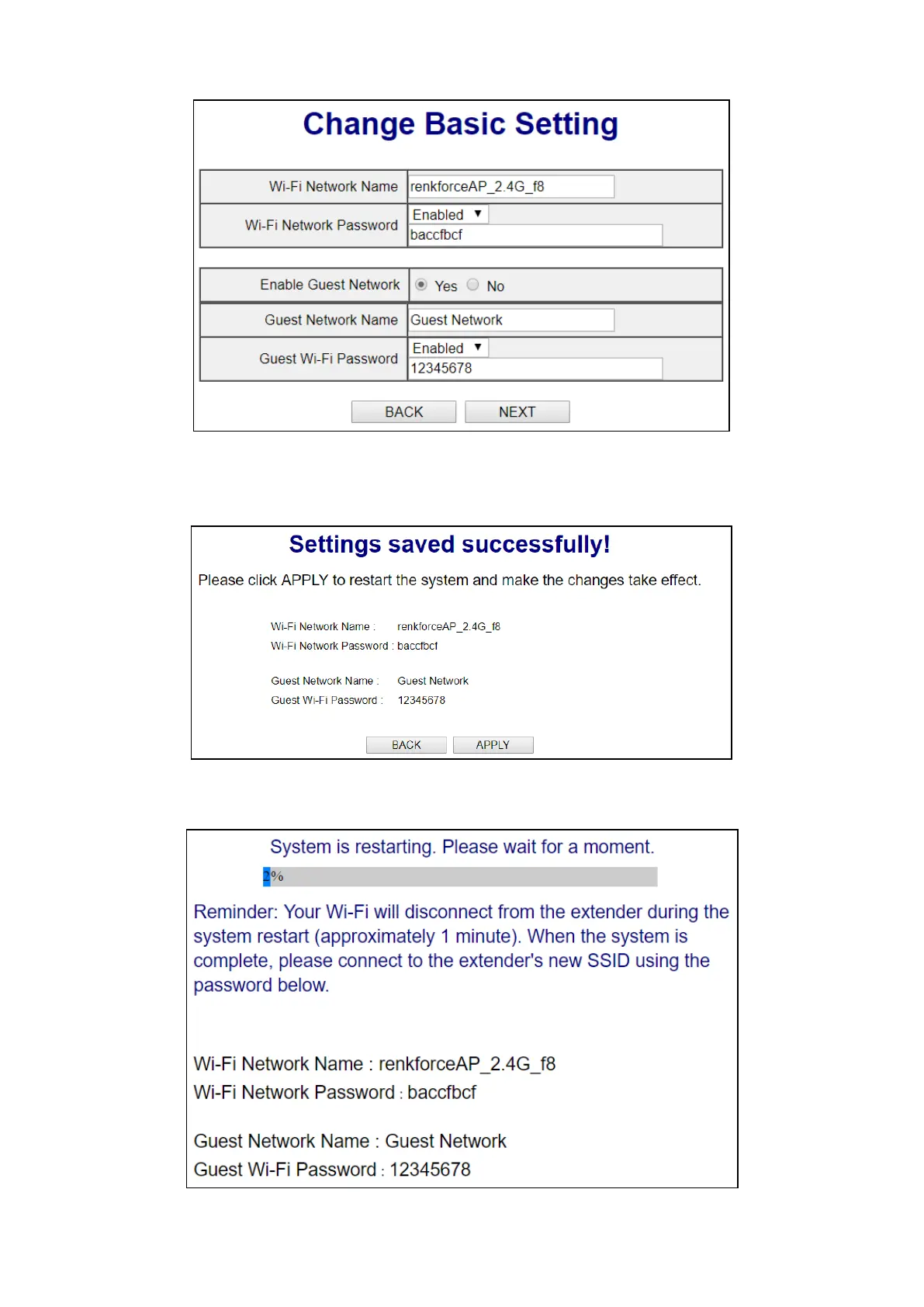
Enable Guest Network: Check the “Yes” checkbox to enable. Enter / edit the guest network name
and select whether the network requires a password. If required, enter a password.
3. The page will show its basic settings, click “APPLY” to apply the settings (the system will restart)
or click “BACK” to go to the previous step.
4. Please wait a moment for the unit to be ready.



 To Next Page