24
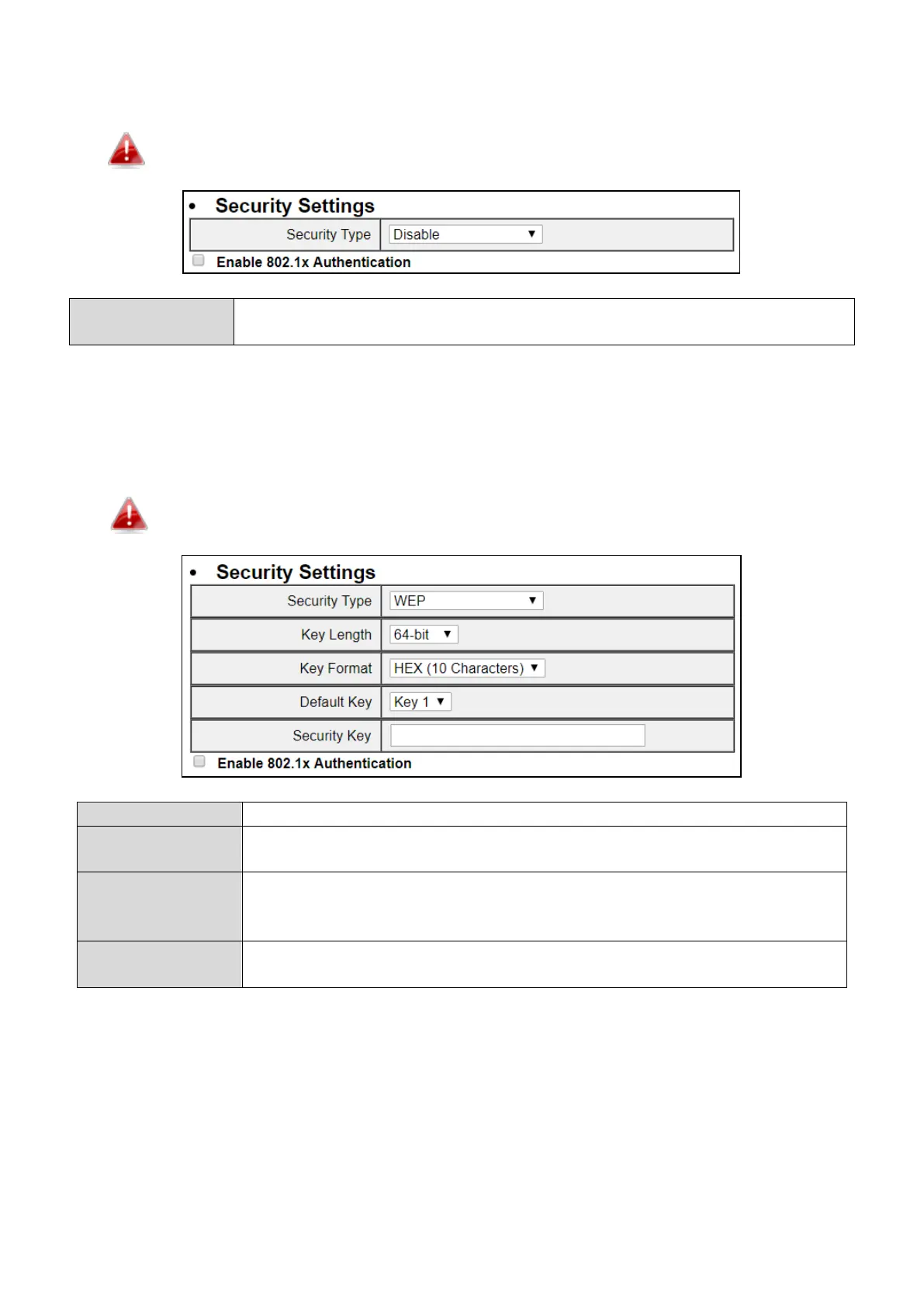
“Disable” is selected as the security type where no password/key is required to connect to the unit.
Disabling wireless encryption is not recommended. When disabled, anybody within
range can connect to your device’s SSID.
Enable 802.1x
Authentication
Check the box to enable the 802.1x authentication. A RADIUS server is required
to perform 802.1x authentication.
V-5-1-2 WEP
“WEP” is selected as the security type. WEP (Wired Equivalent Privacy) is a basic encryption type. For a
higher level of security, please consider using WPA encryption.
WEP supports data rates up to 54Mbps.
Select 64-bit or 128bit. 128-bit is more secure than 64-bit.
Choose from “ASCII” (any alphanumerical character 0-9, a-z and A-Z) or
“Hex” (any characters from 0-9, a-f and A-F).
Enter your encryption key/password according to the format you selected
above. A complex, hard-to-guess key is recommended. Check the “Hide” box
to hide your password from being displayed on-screen.
Authentication
Check the box to enable the 802.1x authentication. A RADIUS server is
required to perform 802.1x authentication.
V-5-1-3 WPA pre-shared key
WPA pre-shared key is the recommended and most secure encryption type.



 To Next Page