28
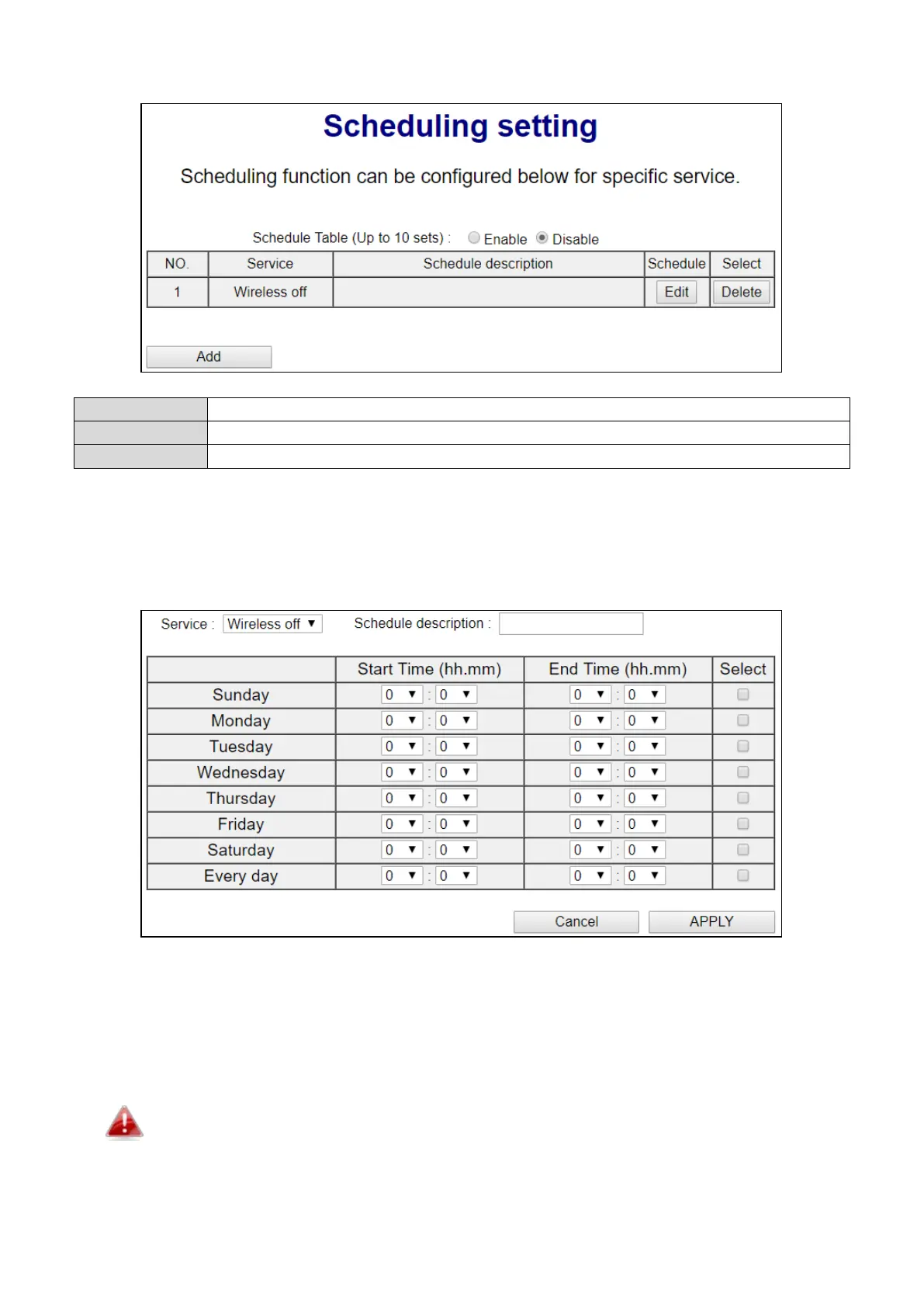
V-5-4 Scheduling Setting
Click to add a new schedule in a new window (see below).
Edit an existing schedule in a new window.
Delete the specified schedule.
V-5-4-1 Add
When you click “Add” to add a new schedule, a new window will open as shown below:
1. Select which function to schedule using the “Service” drop down menu.
2. (Optional) Enter a name for the schedule in the “schedule description” box.
3. Specify a start and end time (hours and minutes) using the drop-down menus.
4. Check the day(s) you wish the schedule to apply to in the “Select” column and click “APPLY”
to save the schedule, or “Back” to cancel and go back to the previous screen.
If you need to use the access point during a scheduled off period, press the WPS/Reset
button once to “wake up” the unit and resume Wi-Fi coverage.
V-5-5 Administration Utility



 To Next Page