6
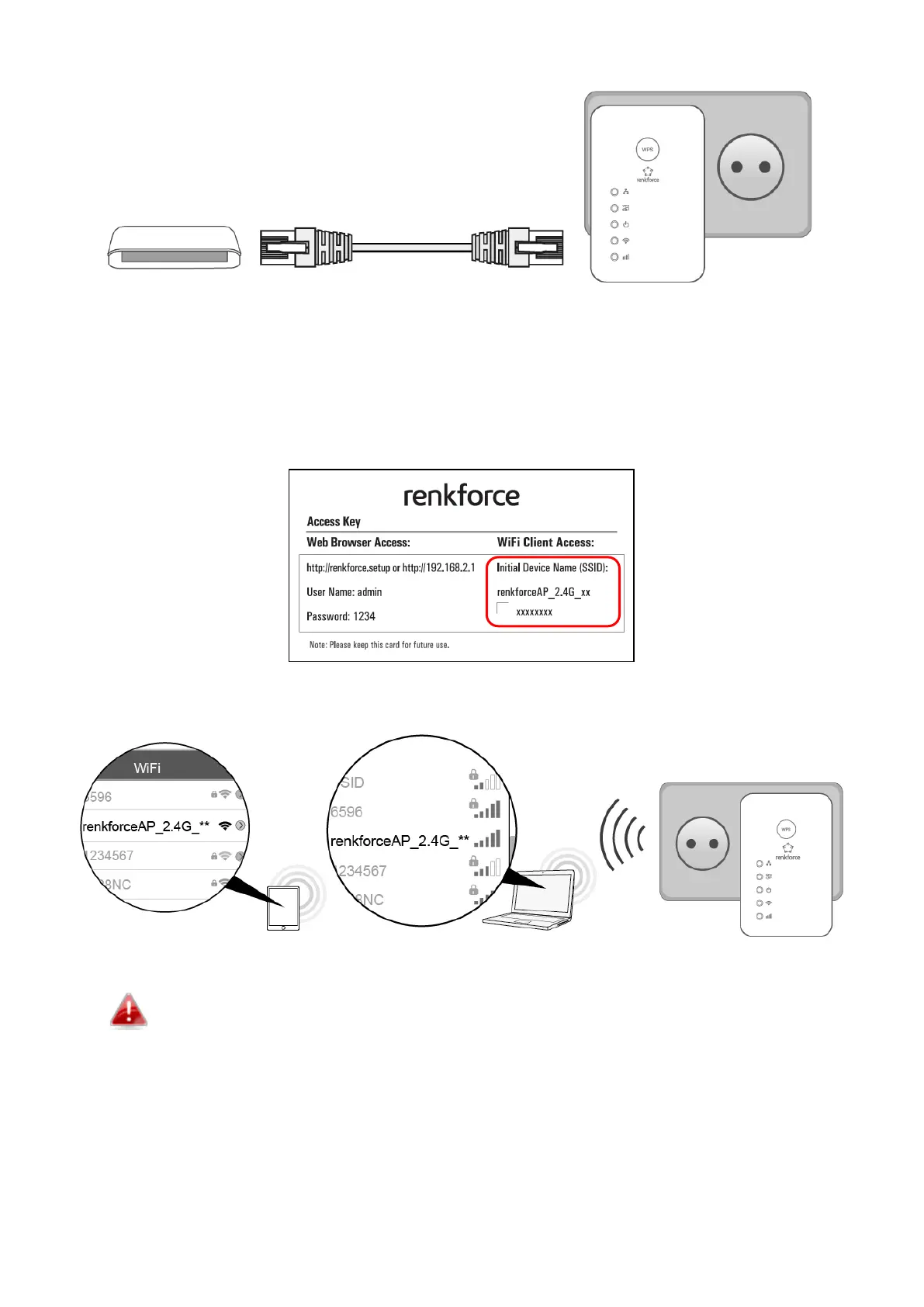
3. Connect the LAN port of the unit to the LAN port of your existing router using an Ethernet cable.
4. Please wait for ~2 minutes for auto network configuration.
Congratulations! You can now use the Access Point to connect to your router’s network!
By default, the Access Point’s SSID (Wi-Fi name) and password is shown on your Access Key Card. An
example of the Access Key Card is shown below:
An example of how some of the devices may see the Access Point’s SSID is shown below:
The last two characters of the SSID (renkforceAP_2.4G_**) are unique alphanumeric
characters and will vary depending on your device. e.g.”renkforceAP_2.4G_f8”.
Should you wish to change the SSID (Wi-Fi name), please follow the instructions in V-2 iQ Setup or see
the information in V-3 Basic Settings.
III Reset to Factory Default Settings



 To Next Page