EasyManua.ls Logo

Renogy PHOENIX 200 - User Manual

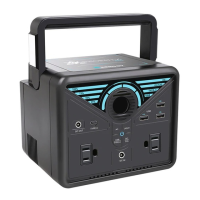
Renogy PHOENIX 200
36 pages
Print Icon
To Next Page IconTo Next Page
Loading...
PHOENIX 200 POWER STATION
USER GUIDE
EN
01
CN
18

Other manuals for Renogy PHOENIX 200

Questions and Answers

  • D
    Derek McmillanAug 18, 2025
    What to do if Renogy Portable Generator AC output is overloaded or short circuit?
    • C
      calhounjerryAug 18, 2025
      To resolve an AC output overload or short circuit on your Renogy Portable Generator: * Disconnect the devices from the AC Outlets. * Remove any short circuits present in the AC Outlets. * Ensure the devices you're using have power ratings no higher than 200W. Discontinue use of devices exceeding this limit. * With the LCD Display lit, short press the AC On/Off Button to release the protection. * Connect devices with appropriate power ratings (200W or less) to the AC Outlets. Power should resume.
  • J
    Joseph GutierrezAug 21, 2025
    What to do if Renogy Portable Generator shows total output overload?
    • E
      esmithAug 21, 2025
      To address a total output overload on your Renogy Portable Generator: * Reduce the output power to ensure it remains under 278W. * With the LCD Display lit up, short press the Power On/Off Button to release the protection. * To turn on the USB-A Fast Charge Ports or USB-C Input/Output Port again, disconnect and reconnect the device(s). To turn on the CIG Port or AC Outlets again, short press the CIG On/Off Button or AC On/Off Button. Power should resume.
  • R
    Ricky DavidsonAug 23, 2025
    What to do if Renogy Portable Generator indicates battery high temperature?
    • D
      Diana JohnsonAug 23, 2025
      If your Renogy Portable Generator displays a high battery temperature: * Disconnect all connections from the device. * Ensure that the fan inlet and outlet are not blocked. * Allow the unit to cool down to room temperature. * Reconnect the charging source(s). * Reconnect the device(s) to turn on the USB-A Fast Charge Ports or USB-C Input/Output Port again. Short press the CIG On/Off Button or AC On/Off Button to turn on the CIG Port or AC Outlets again. Power should resume.
  • J
    jason80Aug 26, 2025
    What to do if Renogy Portable Generator CIG output experiences overcurrent or short circuit?
    • M
      Matthew PowersAug 26, 2025
      To resolve a CIG Output Overcurrent or Short Circuit issue with your Renogy Portable Generator: * Disconnect the device from the CIG Port. * Remove any short circuit present at the CIG Port. * Verify the device's current rating, and discontinue use if it exceeds the CIG Port's specifications. * With the LCD Display lit up, short press the CIG On/Off Button to release the protection. * Connect a device with an appropriate current rating to the CIG Port. Power can then be resumed.
  • C
    Christopher GutierrezAug 28, 2025
    What to do if Renogy Portable Generator inverter is overheating?
    • K
      Kevin Coffey Jr.Aug 28, 2025
      If the inverter in your Renogy Portable Generator is experiencing high temperatures: * Check that the fan inlet and outlet are not blocked. * Allow the unit to cool down to room temperature. * With the LCD Display lit up, short press the AC On/Off Button to release the protection, and power should resume.
  • Y
    Yvonne AndersonAug 30, 2025
    What to do if Renogy Portable Generator USB-A fast charge output has overcurrent or short circuit?
    • R
      Raymond MartinezAug 31, 2025
      To address a USB-A Fast Charge Output Overcurrent or Short Circuit issue on your Renogy Portable Generator: * Disconnect the devices from the USB-A Fast Charge Ports. * If the USB-A Fast Charge Ports are shorted, remove the short circuits. * Check the current ratings of the devices. Stop using any device that draws current exceeding the specifications of the USB-A Fast Charge Ports. * Connect devices with appropriate current ratings to the USB-A Fast Charge Ports. Power can then be resumed.
  • D
    dsteeleSep 2, 2025
    What to do if Renogy Portable Generator USB-C output experiences overcurrent or short circuit?
    • A
      Aaron Potts Jr.Sep 2, 2025
      To resolve a USB-C Output Overcurrent or Short Circuit issue on your Renogy Portable Generator: * Disconnect the device from the USB-C Input/Output Port. * Remove the short circuit if the USB-C Input/Output Port is shorted. * Check the current rating of the device. Stop using the device if it draws current that exceeds the specification of the USB-C Input/Output Port. * Connect the device with the appropriate current rating to the USB-C Input/Output Port. Power can be resumed.
  • S
    Samuel TuckerSep 4, 2025
    What to do if Renogy Portable Generator indicates battery low temperature?
    • K
      Karen CruzSep 5, 2025
      If your Renogy Portable Generator indicates a low battery temperature: * Warm up the unit. * Charging should resume automatically. * To turn on the USB-A Fast Charge Ports or USB-C Input/Output Port again, disconnect and reconnect the device(s). To turn on the CIG Port or AC Outlets again, short press the CIG On/Off Button or AC On/Off Button. Power should resume.
  • M
    Matthew ConnerSep 7, 2025
    How to fix DC input overvoltage or undervoltage on Renogy Portable Generator?
    • Z
      zrobinsonSep 7, 2025
      To correct a DC Input Overvoltage or Undervoltage issue on your Renogy Portable Generator: * Disconnect the charging source from the DC Input Port. * Verify the voltage rating of the charging source. * If the output voltage is below 10V or above 25V, discontinue using that charging source. * Connect a charging source with an appropriate voltage rating to the DC Input Port. Charging can then be resumed.
  • C
    Clinton FryeSep 10, 2025
    What to do if Renogy Portable Generator shows DC input reverse polarity?
    • T
      Tony MorganSep 10, 2025
      To resolve a DC Input Reverse Polarity issue with your Renogy Portable Generator: * Disconnect the charging source from the DC Input Port. * Check the polarity of the charging source. * Connect the charging source with the correct polarity to the DC Input Port. Charging can be resumed.

Summary

Important Safety Instructions

Features

Universal Compatibility

Powers essential gadgets and small appliances via multiple output ports.

Easy Recharging

Conveniently charges via wall outlet, car socket, or solar panel.

Comprehensive Protection

BMS provides voltage, temperature, and short circuit protection for safety.

Powerful Flashlight

Multi-mode LED flashlights on carrying handle for emergencies.

Product Overview

Specifications

Battery Level LED Indicators

Recharging Your Phoenix 200

Operating Your Phoenix 200

Operation Time

Estimates device runtimes based on battery capacity and device power consumption.

Powering Your Devices

Maintenance

Troubleshooting

Frequently Asked Questions

Warranty

Renogy PHOENIX 200 Specifications

General IconGeneral
BrandRenogy
ModelPHOENIX 200
CategoryPortable Generator
LanguageEnglish