!
!
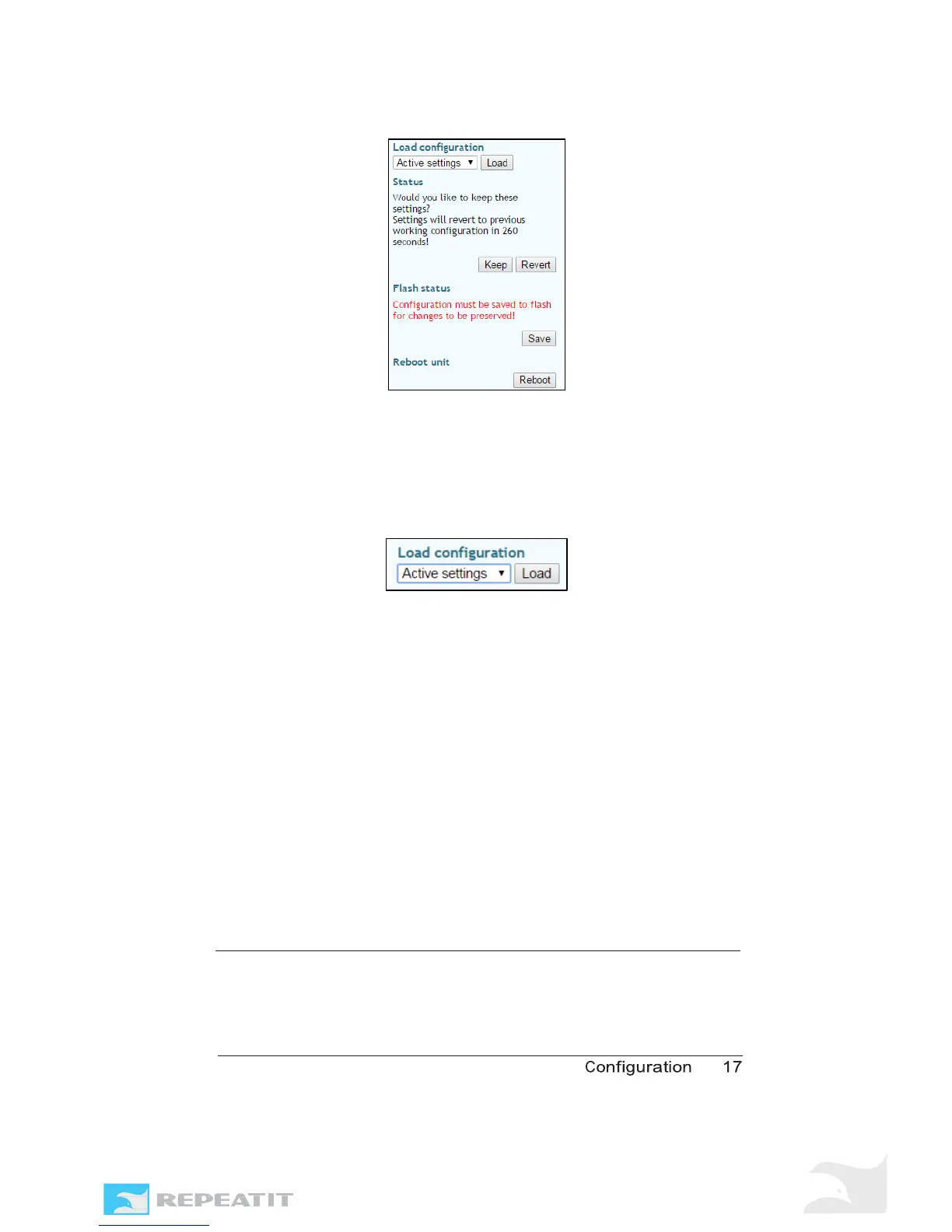
Figure 9 - The configuration has to be saved, otherwise they are
lost after the next node restart.
Rolling back settings
The Trinity-300 series system allows you to roll back settings
if
you happen to misconfigure a unit. To rollback settings, use
the
“Load configuration” feature present in the left status pane
.
Figure 10 - Load configuration
The drop-down box contains a list of available configuration areas
where existing configurations can be loaded from.
To revert back to the settings stored on flash, you would select
“Stored settings” from the drop-down list and press the “Load”
button. The new settings are placed in the inactive area, which
means you have to apply and save when done.
Restore to default
You can load the “Factory defaults” to restore the unit to a basic
working condition.
It is also possible to restore the unit to default
settings in one
action without the need for an explicit “Apply” and
“Save” by using
the dedicated “Restore to default” function
available on the “Admin” tab or by using the Repeatit RTD client
software, see section 3.4 for more information on this.
2.3 Configuration parameters
Out of the numerous configuration parameters that can be set in
the Trinity units, some are only available on Master units. The



 To Next Page