!
!
3.2
Link Diagnostic Tools
The “Tools” page contains diagnostic tools for optimizing your Trinity-
300 series link.
Figure 19 – Tools page.
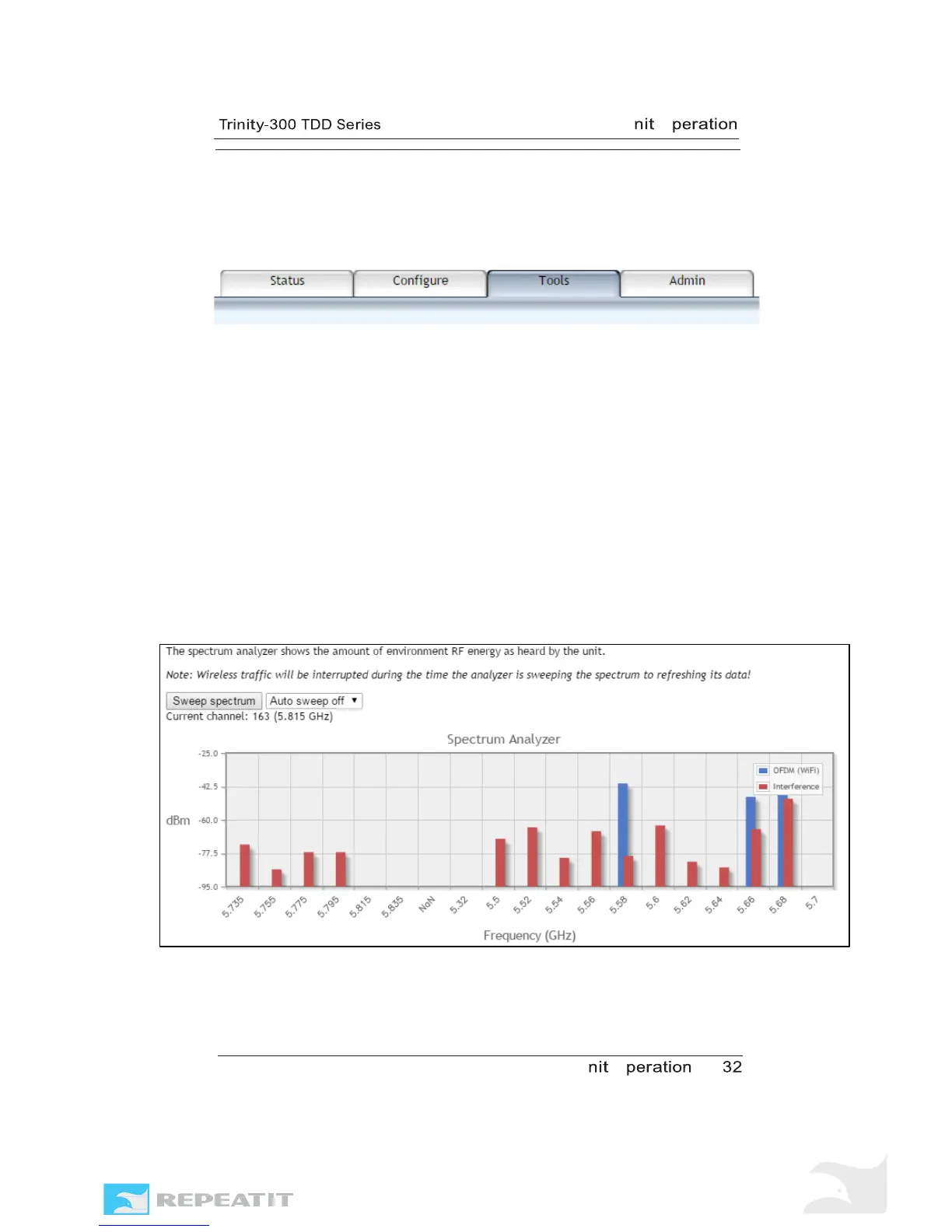
Spectrum analyzer
The spectrum analyzer tool assists you in selecting a clear
channel free from other radio traffic and with minimum amount
of background noise.
The spectrum analyzer shows the amount of environmental RF
energy for each available channel, classified as valid OFDM
signals and other RF noise.
Refreshing the spectrum/noise information requires the unit to
disable the link and listen for a short time (less than a second)
on each channel, this operation might take several minutes to
complete, and during this time the link will be out of service.
Figure 20 – Spectrum analyzer.
Note The radio traffic will be disabled during the time the



 To Next Page