EasyManua.ls Logo

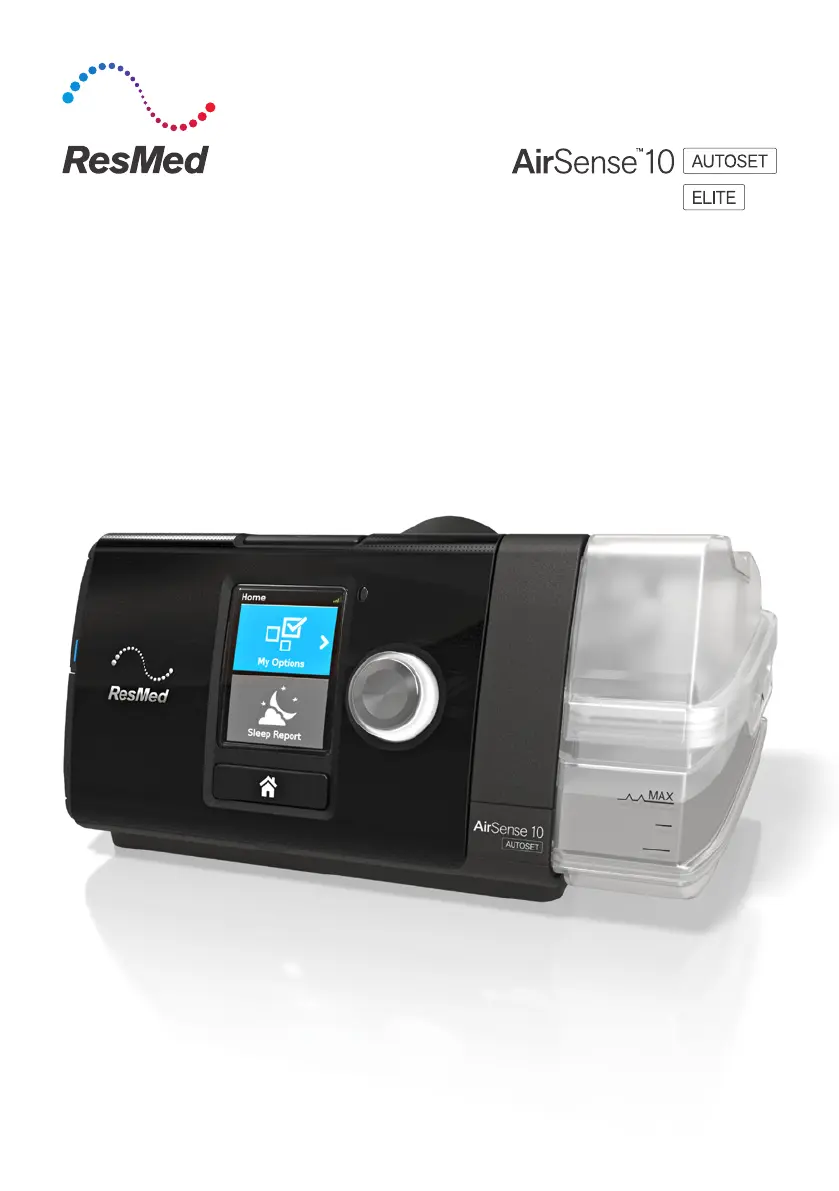
ResMed airsense 10 autoset - User Manual

ResMed airsense 10 autoset
147 pages
Print Icon
To Next Page IconTo Next Page
Loading...
User guide
English
|
Polski
|
Pусский
|
Česky
|
Slo veina
|
Magyar
User guide

Other manuals for ResMed airsense 10 autoset

Questions and Answers

  • R
    Regina LewisAug 17, 2025
    What to do if I have a ResMed airsense 10 autoset Medical Equipment air leak from mask seal with nose or face?
    • M
      Michael HaleyAug 17, 2025
      If you're experiencing an air leak from the mask seal around your nose or face while using ResMed Medical Equipment, try tightening the headgear, but not too tight. If you are using nasal pillows or a full face mask, consider switching to a nasal triangle mask.
  • C
    Charles BennettAug 19, 2025
    What to do if I have a ResMed airsense 10 autoset air leak through mouth?
    • C
      Chase BlakeAug 19, 2025
      If you're experiencing air leaking through your mouth while using ResMed Medical Equipment, try adding a chin strap. If the chin strap doesn't solve the problem, consider switching to a full face mask that covers your mouth, assuming there are no contraindications.
  • Z
    zachary75Aug 22, 2025
    How to fix dry mouth / nasal dryness with ResMed airsense 10 autoset Medical Equipment?
    • S
      steven65Aug 22, 2025
      If you are experiencing dry mouth or nasal dryness while using ResMed Medical Equipment, consider adding a chin strap, as this could suggest a mouth leak. You might also consider increasing the humidifier setting.
  • D
    daniellegonzalesAug 25, 2025
    What to do if ResMed airsense 10 autoset mask is uncomfortable?
    • E
      Elaine JacobsAug 26, 2025
      If your ResMed Medical Equipment mask is uncomfortable, try adjusting the headgear to improve the fit. Loosen the headgear just enough to prevent leaks around the edges of the mask. If the problem persists, consider switching to a different mask type or model.
  • M
    markbriggsAug 27, 2025
    What to do if I have nose stuffiness using ResMed airsense 10 autoset?
    • S
      Sara LoweryAug 28, 2025
      If you're experiencing nose stuffiness while using ResMed Medical Equipment, try increasing the humidification. Also, consider using a chin strap, as congestion can occur if you're leaking air through your mouth. A full face mask might also be an option, assuming there are no contraindications.
  • J
    Jason HartmanAug 30, 2025
    What to do if I am not getting enough air with ResMed airsense 10 autoset?
    • M
      Melanie BrockAug 31, 2025
      If you feel like you're not getting enough air with your ResMed Medical Equipment, turn Ramp off. If EPR is on, turn it off.
  • D
    Douglas RomeroSep 2, 2025
    Why do I have condensation in mask/tubing with ResMed Medical Equipment?
    • A
      Andrea MarksSep 2, 2025
      If you're experiencing condensation in the mask or tubing of your ResMed Medical Equipment, increase the tube temperature setting by one or two degrees. You might also consider lowering the humidifier setting.
  • M
    Mrs. Heather Young DVMSep 5, 2025
    What to do if I feel too much pressure with ResMed airsense 10 autoset?
    • N
      Nicholas CooperSep 5, 2025
      If you're experiencing too much pressure with your ResMed Medical Equipment, first determine if a leak is a factor. Then, verify that Ramp is in Auto.
  • L
    Lisa WeaverSep 7, 2025
    Why is it hard to exhale using ResMed airsense 10 autoset Medical Equipment?
    • B
      Brittney DanielsSep 7, 2025
      If you're having difficulty exhaling while using ResMed Medical Equipment, verify that EPR is turned ON and set to 3. Also, verify that Ramp is ON.
  • J
    James JohnsonSep 12, 2025
    What to do for Facial Sensitivity / Desensitization with ResMed airsense 10 autoset Medical Equipment?
    • C
      Christopher PattersonSep 12, 2025
      If you're experiencing facial sensitivity or desensitization while using ResMed Medical Equipment, consider switching to a less obtrusive mask. For example, try a nasal mask instead of a full face mask, or nasal pillows instead of a nasal triangle mask.

Summary

Welcome and Safety Information

Welcome

Introduction to AirSense 10 AutoSet and Elite devices.

Safety Warnings

Crucial safety instructions and precautions for device usage.

Indications for Use

Specifies the intended patient population and use cases for the device.

Clinical Benefits and Contraindications

Outlines therapy benefits and conditions where it may be unsafe.

Adverse Effects and Device Overview

Adverse Effects

Lists potential side effects that may occur during therapy.

At a Glance: Device Components

Lists the standard items included with the AirSense 10 device.

Device and Control Panel

About Your Device

Identifies the main physical parts of the AirSense 10.

Control Panel Functions

Explains the operation of buttons and icons on the control panel.

Device Setup

Setup Instructions

Step-by-step guide for connecting and preparing the device.

Therapy Operation

Starting Therapy

Procedures for initiating therapy and understanding the display.

Stopping Therapy

Procedures for ending therapy and reviewing session data.

Device Settings and Features

Power Save Mode

How to conserve power when the device is not actively in use.

Personalizing Therapy Options

Accessing and adjusting user-configurable settings.

Ramp Time Adjustment

Customizing the ramp time for a more comfortable start to therapy.

Comfort Settings

Humidity Level Adjustment

Modifying the humidifier setting for optimal comfort.

Mask Fit Assessment

Guide to ensuring a proper mask seal and detecting leaks.

Additional Customization Options

Overview of other settings like Pressure Relief and SmartStart.

Device Maintenance

Caring for Your Device

Essential guidelines for cleaning and maintaining the device.

Disassembling for Cleaning

Steps for safely taking apart the device for cleaning.

Cleaning Procedures

Detailed instructions for washing device components.

Ongoing Checks and Reassembly

Checking Device Components

How to inspect the humidifier, tubing, and air filter for damage.

Replacing the Air Filter

Instructions for replacing the device's air filter.

Reassembling the Device

Steps for putting the device back together after cleaning.

Therapy Data Management

Therapy Data Transmission

Methods and requirements for transferring therapy data to care providers.

Using the SD Card

Alternative method for transferring therapy data via an SD card.

Removing the SD Card

Safe procedure for ejecting and storing the SD card.

Traveling with Your Device

General Travel Guidelines

Tips for transporting and using the device while traveling.

Air Travel Procedures

Specific instructions for using the device on an airplane.

Airplane Mode Activation

How to enable airplane mode for air travel.

Troubleshooting Common Issues

General Troubleshooting Guide

Solutions for frequently encountered problems with the device.

Advanced Troubleshooting and Messages

Troubleshooting Continued

Further solutions for issues related to data transmission and device behavior.

Understanding Device Messages

Explanations and resolutions for various device error messages.

Error Message Resolution

Specific Error Message Solutions

Troubleshooting steps for specific error codes and system faults.

Reassembly and Safety Warnings

Reassembling Humidifier Parts

Instructions for correctly reassembling the humidifier seal and lid.

Important Safety Precautions

Critical safety warnings for device operation and handling.

Critical Safety and Usage Cautions

General Safety Warnings

Important cautions regarding device use, accessories, and cleaning agents.

Specific Usage Precautions

Cautions related to placement, setup, and cleaning solutions.

Technical Specifications Overview

Technical Specifications

General technical data including power, environment, and EMC compliance.

Device Physical and Technical Details

Physical Device Specifications

Dimensions, weight, and materials of the device and humidifier.

Temperature and Air Filter Specs

Temperature limits and details on air filter types.

Aircraft and Wireless Compliance

FAA requirements for air travel and wireless module technology.

Operating Pressure and Oxygen

Device's operating pressure range and supplemental oxygen flow.

Pneumatic Path and Performance Data

Pneumatic Flow Path Diagram

Visual representation of the air's journey through the device.

Design Life and Humidifier Performance

Expected lifespan of components and humidifier performance metrics.

Air Tubing Specifications

Details on material, length, and inner diameter of air tubing.

Displayed Values and Notes

Information on screen readouts and manufacturer notes.

Measurement Accuracy and Uncertainties

Measurement Accuracy

Accuracy specifications for pressure, flow, and leak measurements.

System Measurement Uncertainties

Quantifies the uncertainty of the device's measurement systems.

Pressure Accuracy Details

Specific accuracy data for static and dynamic pressure variations.

Flow Characteristics and Tubing Data

Maximum Flow Rates

Measured maximum flow rates at various pressure settings.

Air Tubing Resistance

Illustrates the resistance to airflow for different tubing types.

Air Tubing Compliance

Shows the compliance characteristics of various air tubing options.

Symbols, Disposal, and Support

Product Symbols Explained

Explains the meaning of various symbols found on the device or packaging.

Environmental Disposal Information

Guidance on how to dispose of the device responsibly.

Servicing Recommendations

Guidelines for professional inspection and servicing of the device.

Limited Warranty Information

Details the warranty period and coverage for the device and accessories.

Warranty Details and Further Information

Warranty Period by Product

Lists the specific warranty durations for different device components and accessories.

Obtaining Further Information

Directs users to contact their care provider for additional assistance.

ResMed airsense 10 autoset Specifications

General IconGeneral
Device TypeCPAP Machine
BrandResMed
ModelAirSense 10 AutoSet
Therapy ModesCPAP, AutoSet
Pressure Range4-20 cm H2O
RampYes
HumidificationIntegrated HumidAir Humidifier
Data StorageSD card
Ramp Time0 to 45 minutes (5-minute increments)
Heated TubingOptional ClimateLineAir heated tubing
Climate ControlYes
DisplayLCD color display
Weight2.75 lbs (1.248 kg)
Power Supply100-240V AC, 50-60Hz

Related product manuals