6 English
Configuration
Tx Link is initially configured as follows:
• IP Address: acquired automatically by DHCP or Auto-IP
• LEDs: disabled during normal use
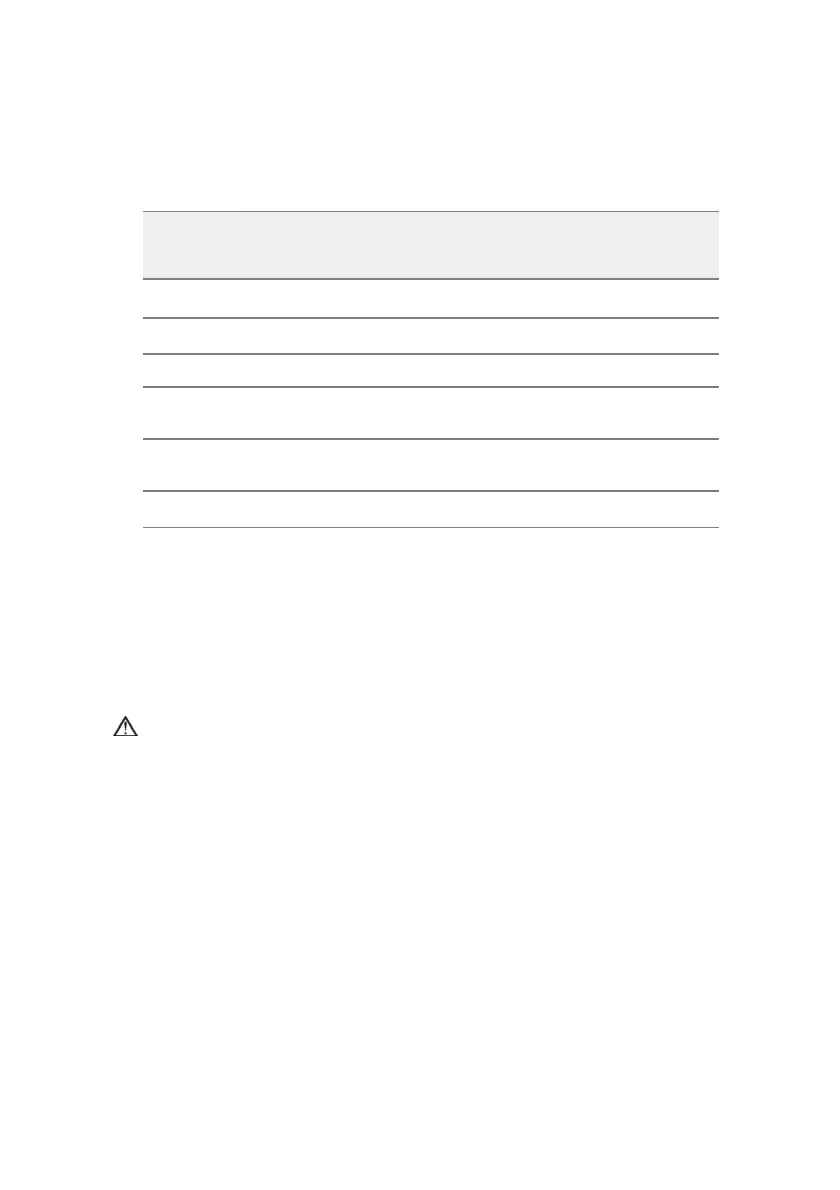
• DC Output Configuration as shown in the table below:
DC
output
Parameter Value
Voltage
range
A
Mask Pressure 0 to 30 cm H
2
O 0 to 1V DC
B
Patient Flow -120 to 120 L/min -1 to 1V DC
C
Leak 0 to 60 L/min 0 to 1V DC
D
Inspiration set
pressure
0 to 30 cm H
2
O 0 to 1V DC
E
Expiration set
pressure
0 to 30 cm H
2
O 0 to 1V DC
F
Minute Ventilation 0 to 30 L 0 to 1V DC
This configuration may be changed using the EasyCare Tx and Tx Link
Administrator software. For further information refer to the EasyCare Tx Online
Help.
Cleaning and maintenance
The exterior of the Tx Link unit and power pack may be cleaned with a damp
cloth and mild liquid soap.
WARNING
• Always disconnect the power pack from the power outlet before
cleaning.
• Ensure the power pack is dry before reconnecting.
Servicing
The Tx Link is intended to provide safe and reliable operation provided that it is
operated and maintained in accordance with the instructions provided by
ResMed. There is no servicing necessary during the lifetime of the device.







 To Next Page