18 19
7.4.4 Remove receiver tube with dome
1. Hold the receiver tube with your thumb and forefinger and remove the tube.
7.4.5 Sport lock
Your hearing care professional will apply and adjust the sport lock.
7.5 Operation of the hearing aid
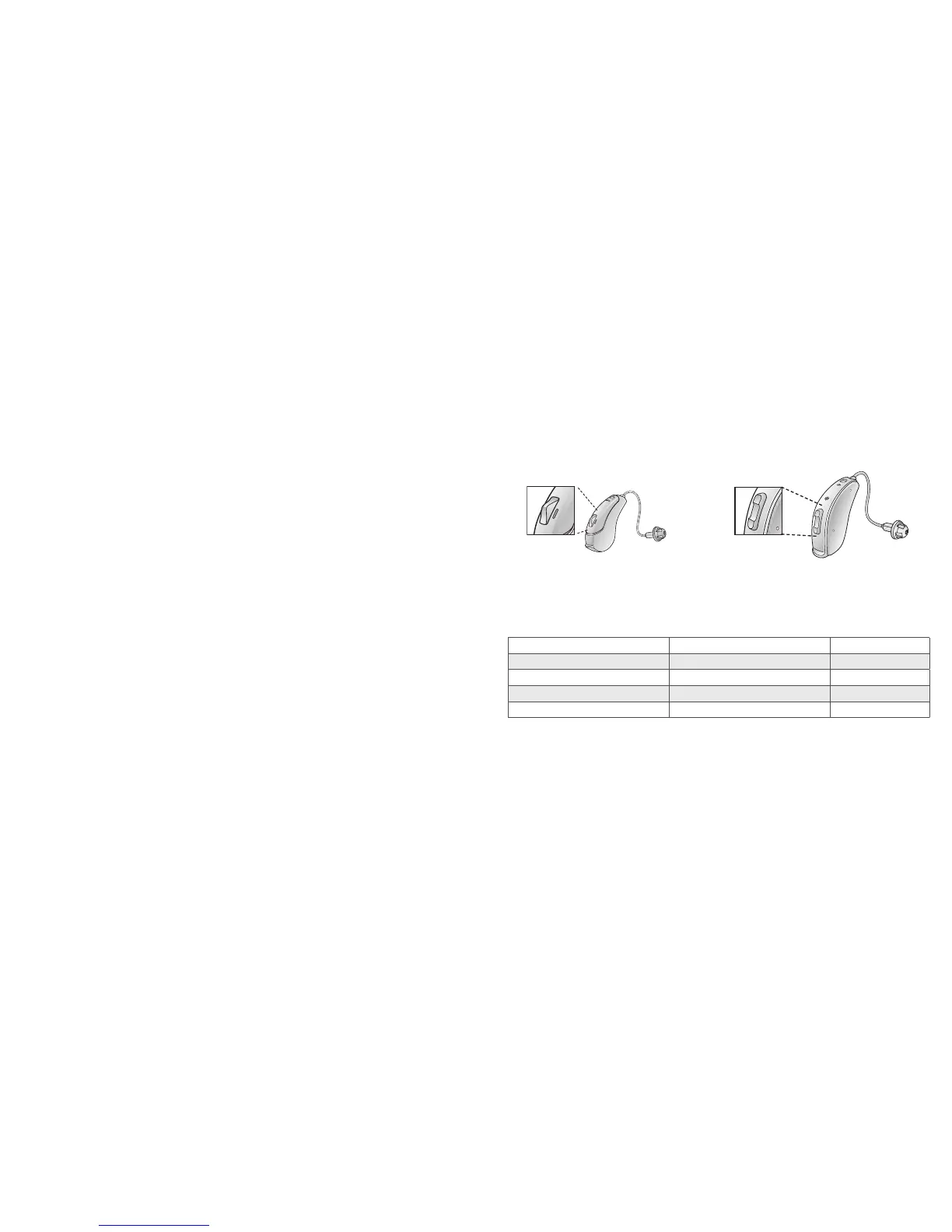
7.5.1 Push button and Multi-function button
If you have a hearing aid with a push button or multi-function button, this will allow you to use up to four
dierent listening programs, each of them suitable for certain situations.
1. Tap the push button to switch between programs.
2. You will then hear one or more beeps. The number of beeps indicates which program you have
selected (one beep = program one, two beeps = program two, etc.).
3. When you turn the hearing aids o and then back on, they always return to the default setting
(program one and pre-set volume).
It should not be necessary to control the volume manually. However, in addition to controlling listening
programs, the multi-function button (62-DRW only) provides you with the ability to adjust the amplifica-
tion to your liking.
The multi-function button is designed to change the volume or listening programs of the hearing aid,
based on dierent ways it is pressed.
Program button (61 models only) Multi-function button (62 models only)
If necessary, your hearing care practitioner can change the default settings for the multi-function button
and fill in the following table to indicate the new settings:
Multi-function button action Default setting New Setting
Short press up
Increases volume
Short press down Decreases volume
Long press up (3 seconds)
Changes programs
Long press down (3 seconds)
Activates streaming



 To Next Page