18 19
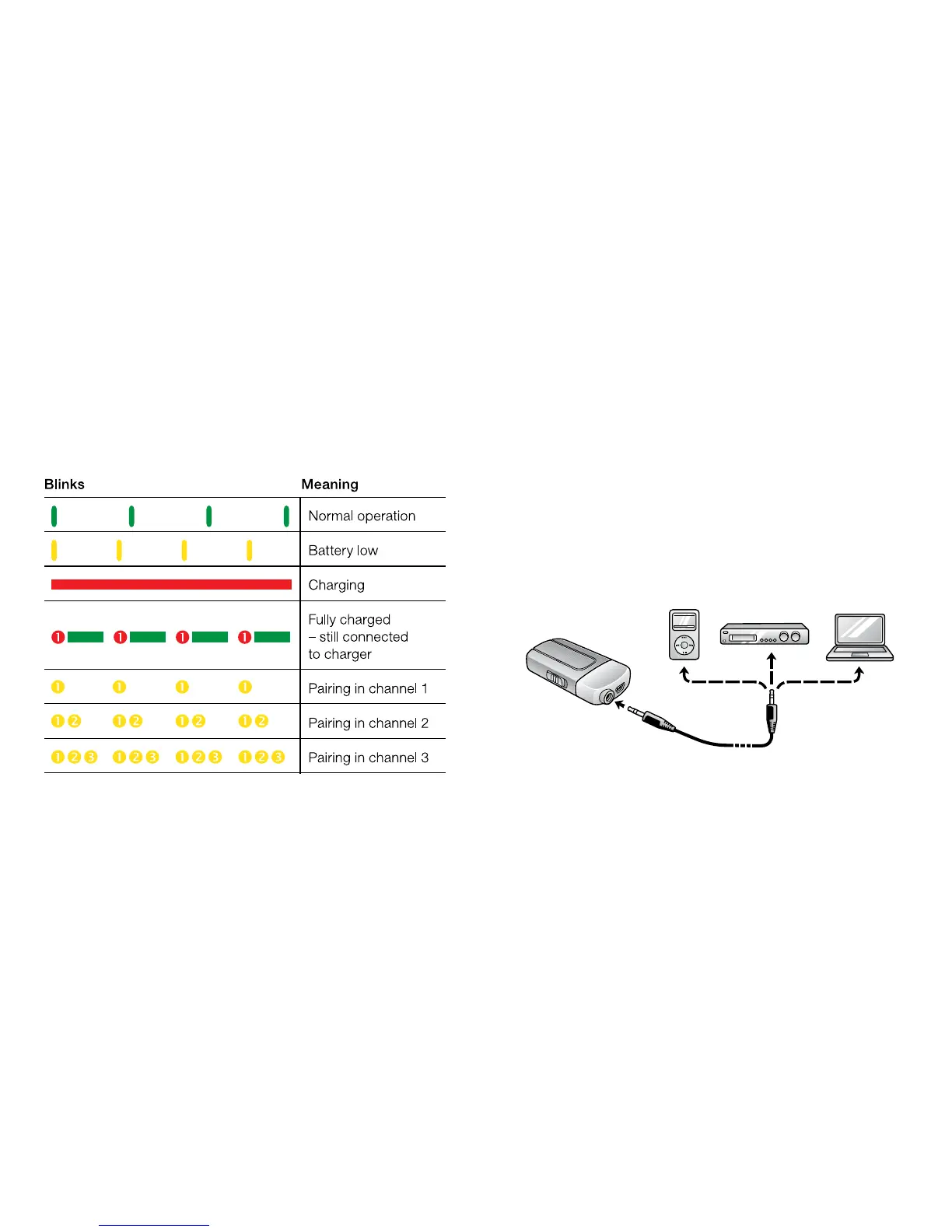
Using the Line-in
The Line-in (3 on page 8) can be used to stream audio signals
from most auxiliary audio devices through the ReSound Unite™
Mini Microphone’s line input directly to your hearing instrument
1 Insert the included jack cable into the Line-in plug on the
ReSound Unite™ Mini Microphone
2 Plug the other end of the jack cable into the AUDIO OUT on the
audio device you want to stream from.
Light Indicator (LED)
The Light indicator (6 on page 9) on your ReSound Unite™ Mini
Microphone serves as a multipurpose user interface, providing
information on the status of your device.


 To Next Page