MM
MM
16 17
Stop streaming
• With the ReSound Unite™ Remote Control (optional) you just
have to press the “P” button, located in the center of the key
pad. This will return the hearing instruments to the last pro-
gram used. You may also press the home button to return to
your default settings.
• If you are using the telephone with ReSound Unite™ Phone
Clip or PhoneNow™, streaming of ReSound Unite™ Mini
Microphone will be temporarily disrupted. When you have
ended your phone call, streaming will resume.
Note! You may get out of range (>7m) from your ReSound
Unite™ Mini Microphone. If you get back in range within
5 minutes, your hearing instruments will automatically
reconnect and continue streaming.
Wearing Your ReSound Unite™ Mini Microphone
Clip your ReSound Unite™ Mini Microphone on the speaker’s
jacket or other clothing. Place the device within a range of 10-
20cm from the speaker’s mouth.
Start streaming on a 2nd or 3rd ReSound Unite™
Mini Microphone unit
If your hearing instrument is paired to more than one streaming
device, you can start streaming in two ways.
1. Press and hold the hearing instrument push button for about 3
seconds a 2nd or 3rd time to access the 2nd or 3rd ReSound
Unite™ streaming device.
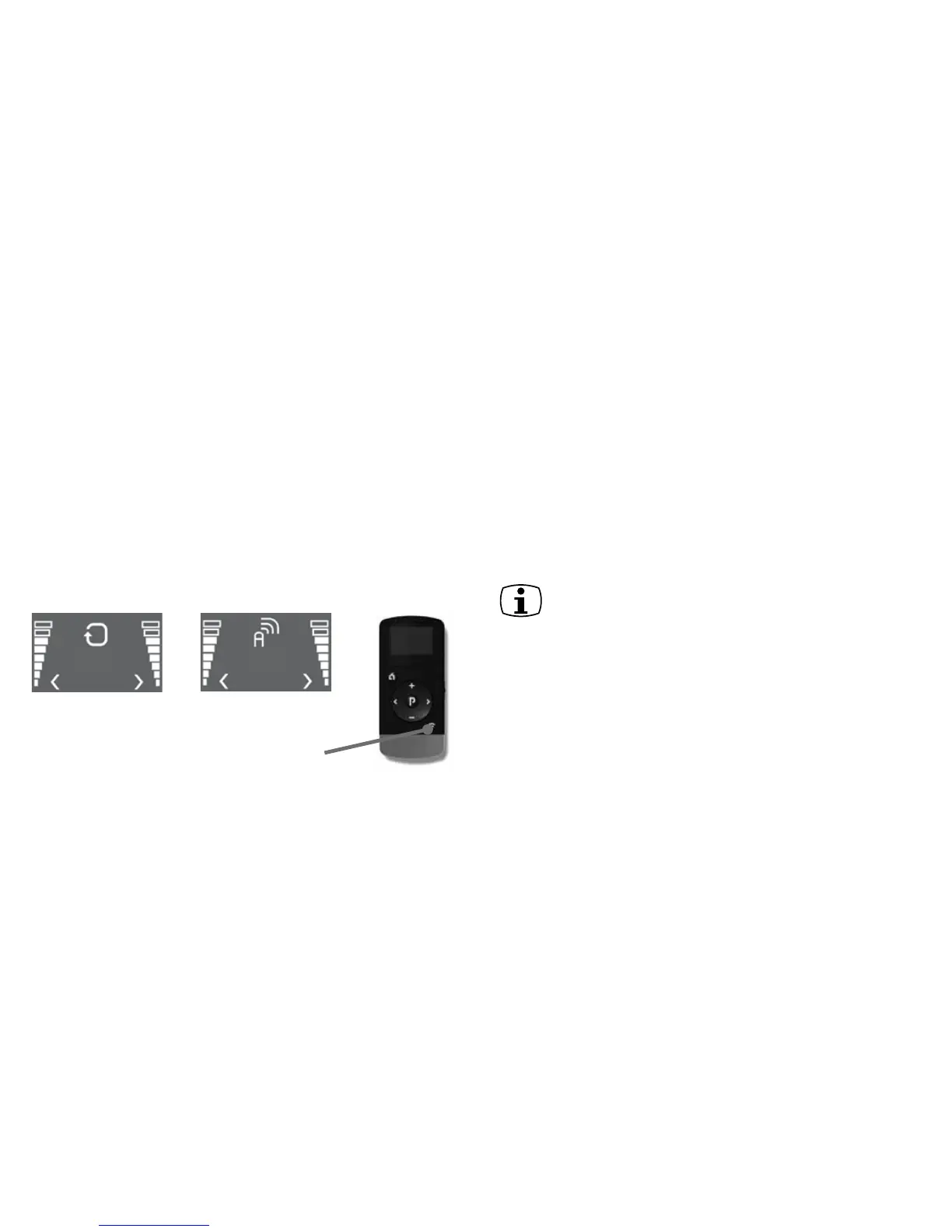
2. If you use a Unite™ Remote Control, press the streaming but-
ton on the Unite™ Remote Control a 2nd or 3rd time to access
the 2nd or 3rd ReSound Unite™ streaming device.
Connected to
Mini Microphone
Streaming button
Searching for
Mini Microphone
The up to 3 ReSound Unite™ streaming devices are initially
labeled by letter designator A, B or C, and the device in use
is shown on the Remote Control display.


 To Next Page