⑥ 【TONE】
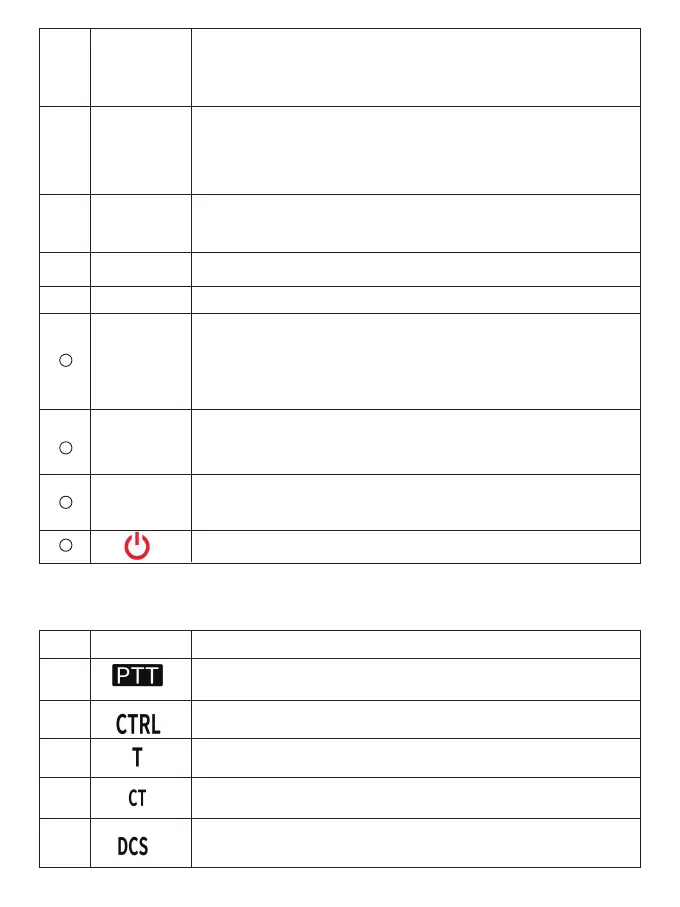
Press [TONE] to enable audio function. Continuously press [TONE] to
switch functions in the following order: audio on > CTCSS on > DCS
on > o. If Tone, CTCSS, or DCS is enabled, pressing [F] and [TONE]
will enter the CTCSS or DCS setup mode.
⑦
⑧
⑨
⑩
【REV】
【LOW】
【BAND】
【CTRL】
【BAND
SEL(VOL)】
【SQL control】
【M】
Press [REV] to turn the reverse function on or o; Press [F], [REV] to
enter the transmission dierence frequency oset direction selection
mode. Each time you press [F], [REV], the transmission oset
direction will be switched in the following order: positive (+) direction
- > Negative (-) direction - > O.
Press [LOW] to switch the transmit output power in the following
order: High > Medium > Low. Press [F], [LOW] to turn on or o the
mute function.
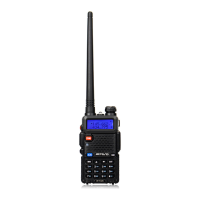
Turn the BAND SEL control knob to adjust the speaker volume.
Press [BAND SEL] on the left to select Band A. Press [BAND SEL] on
the right to select Band B.
Press [BAND SEL] one second to switch between single-band and
dual-band modes. (i.e. switch left and right screens)
Rotate the [SQL] control button to adjust the squelch level. Turn
clockwise to turn on the squelch, turn counterclockwise to turn o
the squelch.
Press [M] to enable its programmable function.
The default function is monitor.
Long press to turn on or o the radio.
1
Appears when there is an available transmission frequency band.
Blinks when the cross-band repeater is ON.
LCD display icons
2
3
4
5
Appears when there is an available operating frequency band.
It appears only when the TX CTCSS/DCS is set.
Appears when CTCSS is enabled.
Appears when DCS is enabled.
NO. ICONS Function
7
13
11
12
14



 To Next Page