Your radio will rapidly scan each of the 30 channels and stop on any active channel. Your radio will resume
scanning after 4 seconds when the channel is no longer active.
When you press the [PTT] key to transmit on an active channel, the scanning function will stop and remain on the
active channel for 5 seconds before resuming scan when [PTT] key is no longer pressed.
To resume scanning, quickly press the key.
5.6 Monitor
Press and hold the [MONI] key for around 2 second will let you hear noise so you can adjust the volume level of
the radio when not receiving a signal. This should be used to check activity on your current channel before
transmitting.
Press and hold the [MONI] key for 3 second again to get out of Monitor mode.
5.7 Keypad lock
This function locks the keypad to prevent accidental pressure of the controls.
To avoid accidentally changing the radio setting, press the [A/B] key for 2 seconds. The icon will appear on the
display. PTT, LAMP, MONITOR, and FM Radio keys will still be active. Repeat the same procedure to unlock the
keypad.
5.8 A/B switch
Press the [A/B] switch to select the master frequency.
5.9 Flashlight and Emergency Alert
This function is very useful for night illumination.
To turn it on press [LAMP]; push it again, the flash light will be strobe; push it again: it will turn off.
Open radio, press and hold the [LAMP] key for about 2 seconds to activate the sound and light alarm function.
Press [LAMP] key again to exit the alarm state.
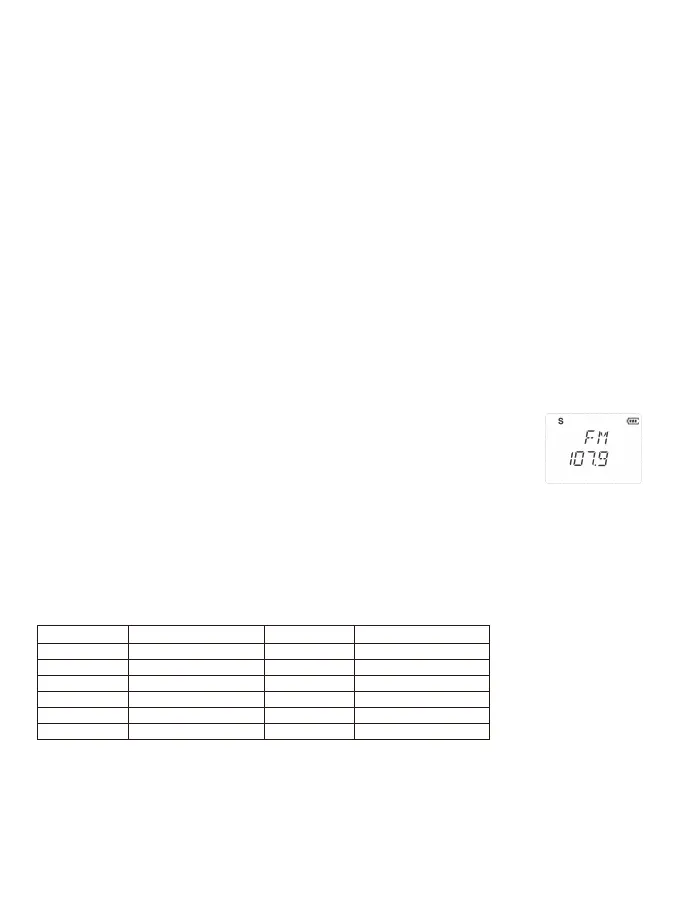
5.10 FM Radio (FM)
The frequency range to listen to the radio is 78-108MHz.
With RB27 turned on, Press [FM] to turn on the radio. Select the desired radio frequency with
the [+UP]/[-DOWN] keys. Press [FM] to exit FM radio.
Note: while you are listening to the radio, the channel of A / B receiving signal will automatically
switch to the channel mode for normal transmitting and receiving.
When the signal disappears the radio will automatically switch again to FM radio mode.
5.11 NOAA Weather Radio
Your radio can receive weather broadcasts from the NOAA National Weather Service.
While using the Weather Radio, you are not able to receive GMRS communications.
1>To turn on the Weather Radio Broadcast mode, press [MONI]. appears.
2> Press [+UP]/[-DOWN] to select the desired number of weather channels.
3> To exit the Weather Radio Broadcast mode, press [MONI]. disappears.
NOTE: There are 11 NOAA channel frequencies available and these frequencies are common between the US
and Canada. You need to know what frequency is being transmitted in your location.
NOAA Weather Radio Frequency List:
5.12 1000Hz, 1450Hz, 1750Hz Tone-burst
To send out a tone-burst; you simultaneously will press a key while holding down the PTT. No further configuration
required using this feature.
The following configurations will transmit accordingly:
•[PTT] +[-DOWN] = Transmits 1450Hz Tone Burst
•[PTT] +[+UP] = Transmits 1750Hz Tone Burst
•[PTT] +[MENU] = Transmits 2100Hz Tone Burst
Chan. Freq.(MHz) Chan. Freq.(MHz)
WEATHER 1 162.550 WEATHER 7 162.525
WEATHER 2 162.400 WEATHER 8 161.650
WEATHER 3 162.475 WEATHER 9 161.775
WEATHER 4 162.425 WEATHER10 161.750
WEATHER 5 162.450 WEATHER11 162.000
WEATHER 6 162.500 --- ---
7


 To Next Page