1) Press and hold the 【◎ 】key until the icon ( ) appears to enter the
keyboard lock state.
2) Long press and hold the 【◎ 】key until the icon ( ) disappears to exit the
keyboard lock state.
Note: When the keyboard is locked, except for pressing the [PTT] and [Power
Switch/Scan] keys, any key press will sound a key failure tone.
Power saving function
The radio has a unique function to extend the service life of the battery. If there is
no call or voice reception within 10 seconds, the walkie-talkie will automatically
enter the power saving mode. In this mode, the radio can still receive information.
Headphone function
1) Connect the earphone to the walkie-talkie (radio A&B).
2) Press the PTT button of the headset of the radio A to send a voice to the MIC
of the headset, and the radio B should be able to receive normally. Repeat the
same operation on radio B.
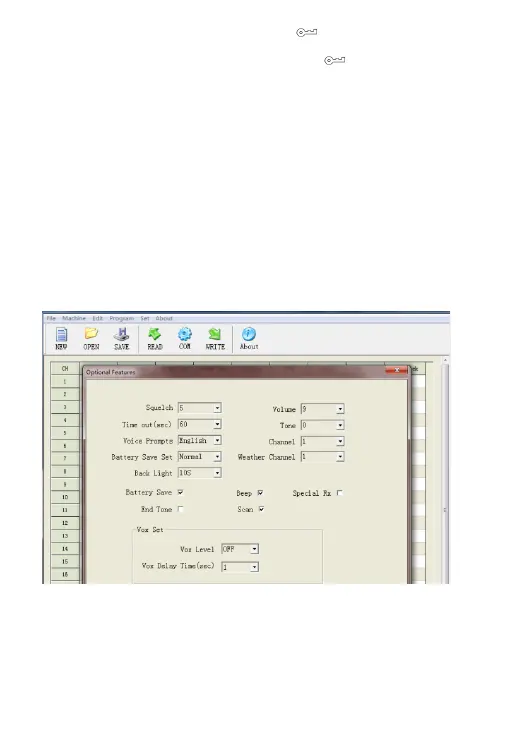
Programme
The programming software can quickly change and expand the function.
6


 To Next Page