09
After selecting the intercom channel, talk group ID or user ID
required Zone setting(If there are multiple Zones in the
intercom).Rotary channel selector buttons to select the represen-
tative channel, talk group ID or user ID number.
Receive and Reply Call
You can received or reply call after finished channel / user ID or
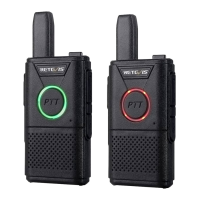
group ID's setting. When transmit transceiver, LED indicator
turns red. When receiving message, the LED indicator turns
green.
Receive and Reply Group Call
To receive a call from a user's group, the transceiver must be
configured as belonging to that group.
1.LED indicator turns green.
2.Hold the transceiver vertically and keep about
1~2inches(2.5-5.0cm) away from mouth.
3. Press PTT key to respond the call, LED indicator turns red.
4. Release PTT key to receive.
Receive and reply Individual Call
Individual Call is one to one calling including two types: 1)
Carry on Transceiver existence detection before calling; 2)
Ready to call immediately.
When your transceiver has been chosen, LED indicator turns
green. You can only select one type to set in to the transceiver.
When Receiving a Individual Call:
1. LED indicator turns green.
2. Hold the transceiver vertically and keep about
1~2inches(2.5-5.0cm) away from mouth.
3. Press PTT key to respond to the call, LED indicator turns red.
4. Release PTT key to receive.


 To Next Page