16
User’smanual | Orange Vision Combi Ovens | 04 COOKING
4.2 MANUAL SETTINGS
This option is utilised by more experienced users, who want to have the
cooking process parameters set exactly according to their requirements.
Set the cooking parameters manually according to your own discretion and
experience.
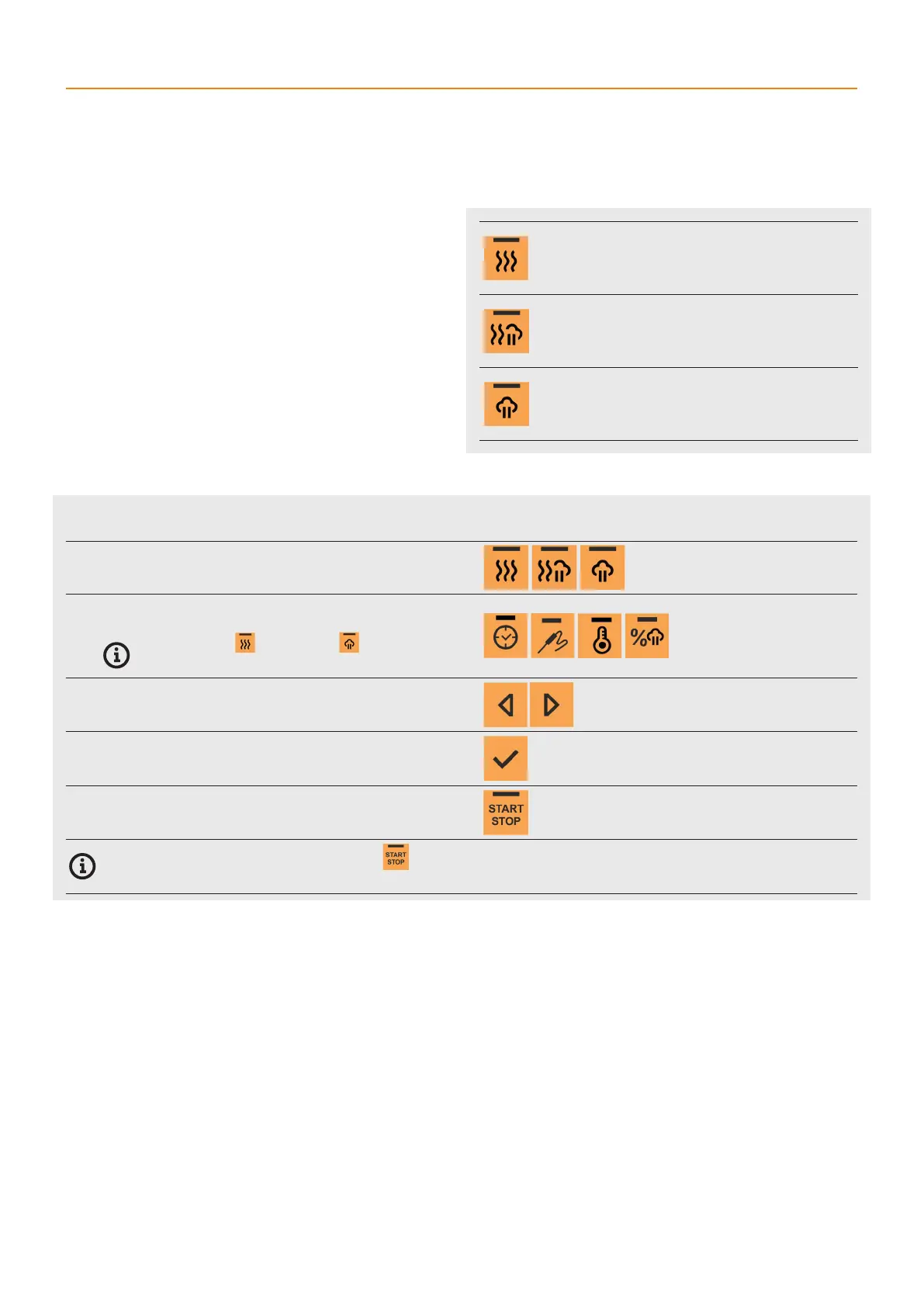
For cooking, the combi oven utilises three basic modes - hot air, steam, and
ahot air and steam combination. Each mode has its pre-settings and steps
and is used with other technological meal preparations. However, you may
enter the cooking process at any phase and modify the time, temperature
and humidity so that the result meets your expectations.
The whole cooking process is fully automated and when the exact input
conditions are maintained, it is possible to achieve the same quality results
every time.
Manual cooking process parameter settings
1 SELECT ACOOKING MODE
2 SELECT ACOOKING PARAMETER
The current value of the selected parameter will start flashing.
In HOT AIR mode and STEAMING the humidity
parameters can’t be changed.
3 ADJUST THE PARAMETER VALUE ACCORDING TO YOUR
DISCRETION
In the same way, modify the other parameters.
4 CONFIRM THE SETTING
5 START THE COOKING PROCESS
You can end the cooking process at any time using the button. If you do not press the button, the cooking processes will end after the set time
and the display will show the text COOKING DONE.
HOT AIR
Pre-settings:
Processing time: 30 min.
Cooking chamber temperature: 356°F
Humidity: 0%
HOT AIR WITH STEAM
Pre-settings:
Processing time: 30 min.
Cooking chamber temperature: 320°F
Humidity: 50 %
STEAM COOKING
Pre-settings:
Processing time: 30 min.
Cooking chamber temperature: 210°F
Humidity: 100 %



 To Next Page