28
User’smanual | Orange Vision Combi Ovens | 05 SETTINGS
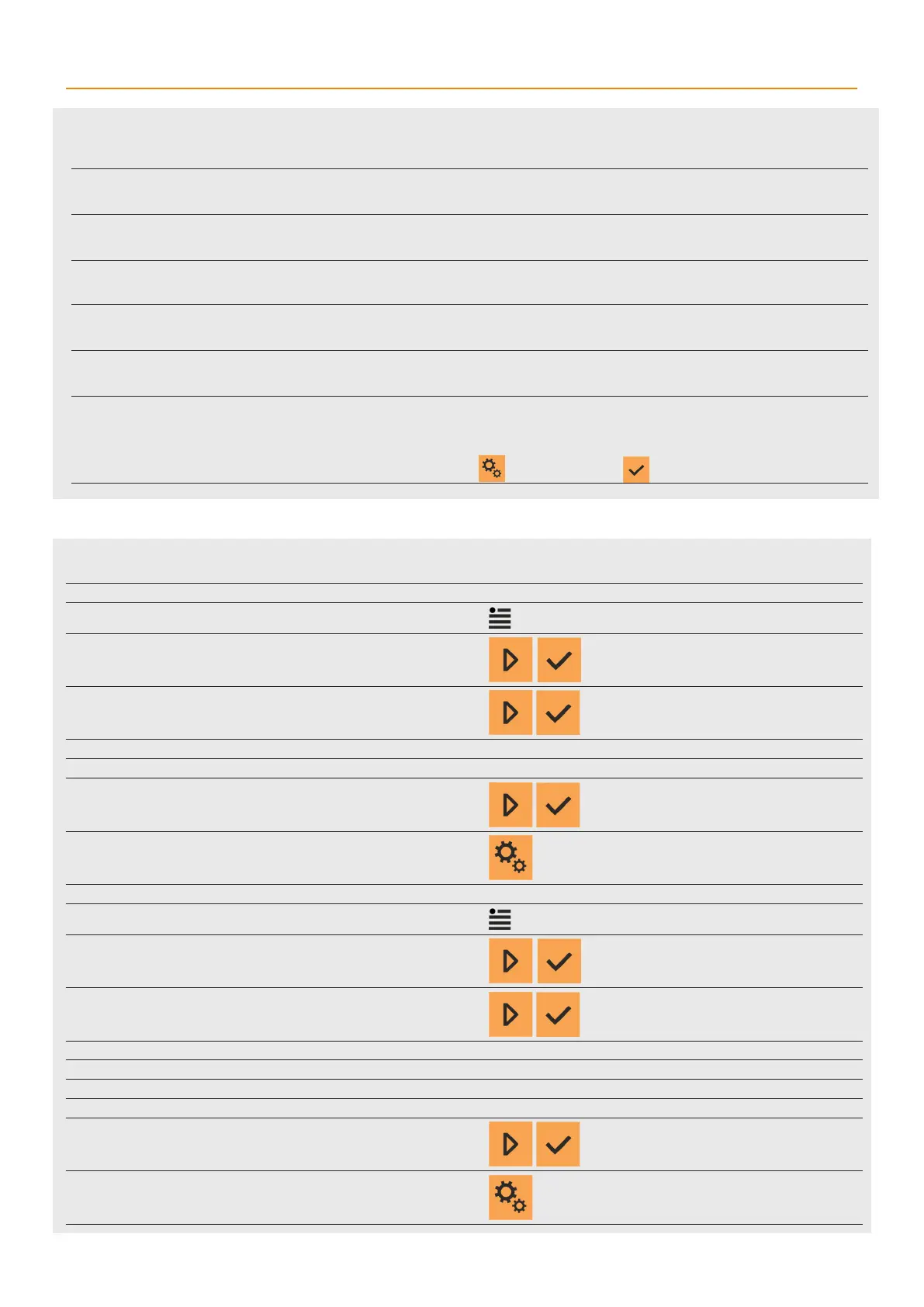
Setting items in OPTIONS
OPTIONS WITHOUT PIN CODE
1 ENTER THE SETTINGS MENU WITHOUT PIN CODE
Enter the Setting menu without PIN code is described in chapter 5.1
2 SELECT ITEM 7. OPTIONS
3 SELECT OF THE FOLLOWING ITEMS
All the items listed below are set as inactive at the factory.
7.1 PERMANENT LIGHT
7.6 AUTOMATIC PREHEAT
4 THE CURRENT SETTING WILL START FLASHING.
Choose Yes or No
5 RETURN BACK TO THE SETTINGS MENU
OPTIONS WITH PIN CODE 1001
1 ENTER THE SETTINGS MENU WITHOUT PIN CODE 1001
Enter the Setting menu with PIN code is described in chapter 5.1
2 SELECT ITEM 7. OPTIONS
3 SELECT OF THE FOLLOWING ITEMS
The items 7.2 ACM and 7.3 Sleep After Cleaning are set as active at
the factory. The rest are inactive.
7.2 ACM
7.3 STANDBY AFTER CLEANING
7.4 SHOWER LOCK
7.5 PROGRAMS LOCK
4 THE CURRENT SETTING WILL START FLASHING.
Choose Yes or No
5 RETURN BACK TO THE SETTINGS MENU
7. Options
Explanation of individual items in the OPTIONS selection.
7.1 . PERMANENT LIGHT
The lights will be continuously on in the cooking chamber. If the function is o, the lights will go on only when the
door is open and when the appliance is being operated.
7.2 ACM
ACM (Automatic capacity management) – this function ensures that the combi oven will identify the amount
of food that is inserted and will extend the cooking time accordingly to achieve the required temperature in the
cooking chamber.
7.3 STANDBY AFTER CLEANING
Allows the combi oven to turn o after cleaning is done. After cleaning, the combi oven shuts o for after about 3
minutes.
7.4 SHOWER LOCK
The shower is an optional accessory and is not in the appliance’sbasic configuration. The shower must be
activated in this option if the appliance has one.
7.5 PROGRAM LOCK
Programs are optional and are not in the appliance’sbasic configuration. Programs must be activated in this option
if the appliance has them.
7.6
PREHEATING
AUTOMATICALLY
This function applies only to cooking with manual settings. If it is set to Yes, preheating automatically stops after the
cooking process is launched. More on Preheat in chapter 4.1.
During programmed cooking, preheating starts or doesn’t start, as set in the program.
Preheat can be skipped by pressing the function button or OK .



 To Next Page