17
CHAPTER 4
Saving and loading suspended games
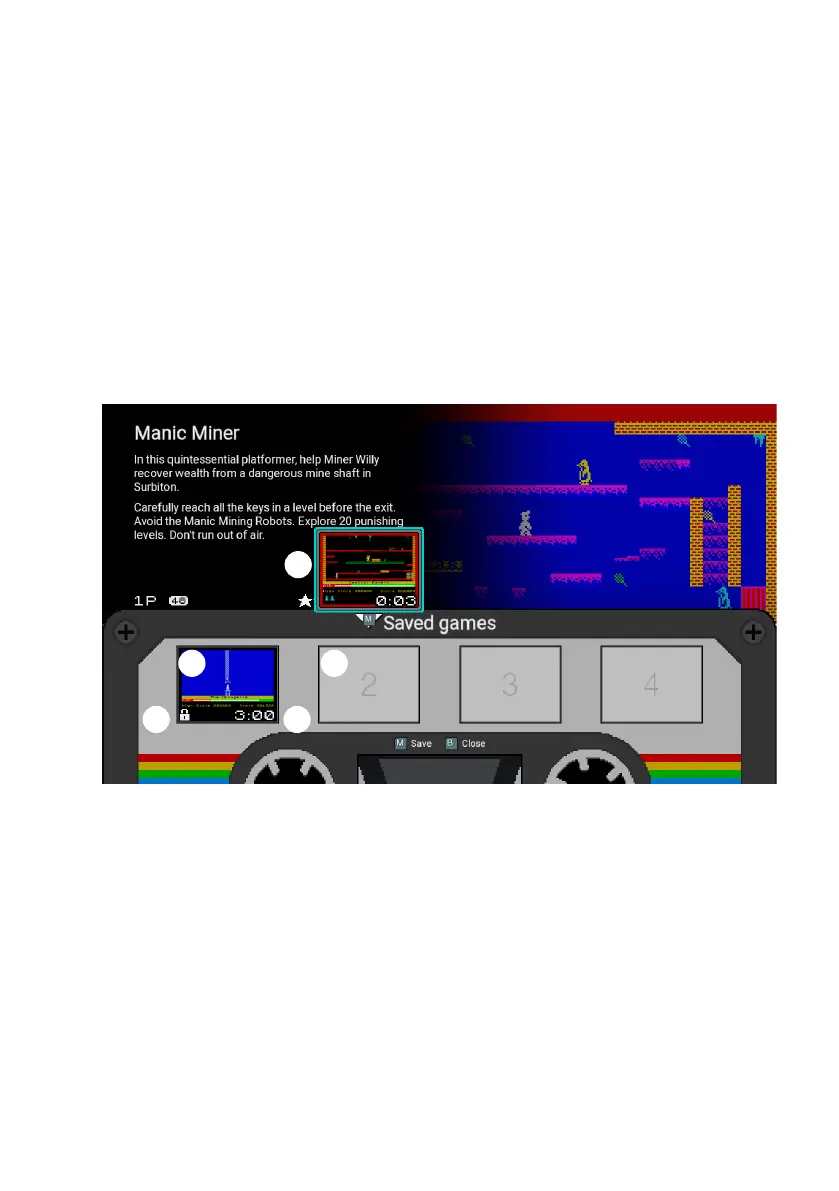
Pressing A when viewing the carousel will show the Saved game slots for the current
game, where you can save a suspended game or resume a previously saved game.
Each game has four slots for saved games, represented by four sections of a cassette
tape label.
1) Filled saved game slot
2) Empty saved game slot
3) Elapsed game time
4) Locked game slot indicator
5) Suspended game
Saving a game
If there is a currently suspended game, the miniaturised suspended game will move
down and hover above the rst available Saved game slot (either the rst blank slot or
otherwise the rst unlocked slot). Pressing O or P will move the hovering suspended
game to another slot.
1 2
34
5



 To Next Page