57
CHAPTER 13
Updating the rmware
Retro Games may occasionally release new rmware versions for The Spectrum to
correct issues, add new features or games.
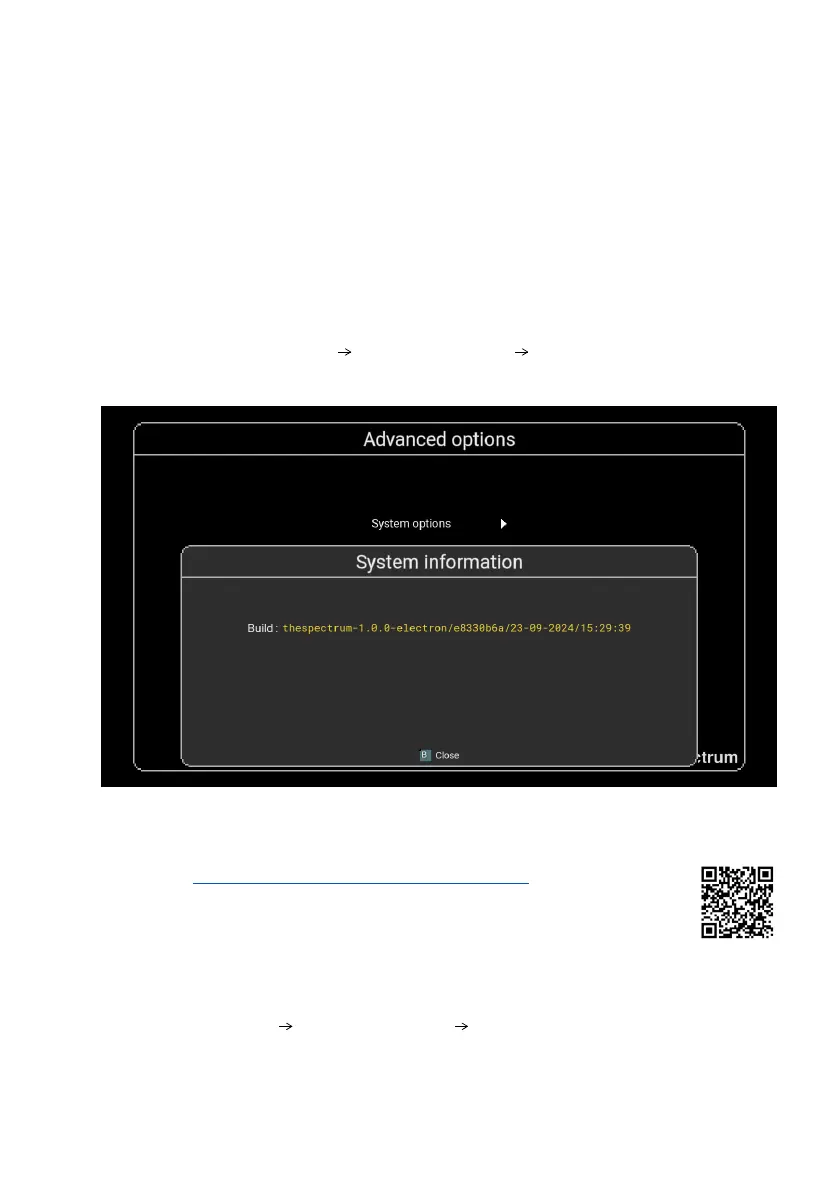
Entering the menu Options Advanced options System information will show
the current Build version of the rmware.
To update the rmware
1) Visit retrogames.biz/links/upgrade/thespectrum and check if the
latest version on the website is greater than that reported by The
Spectrum.
2) If a later rmware is available, download it.
3) Copy the rmware onto the root folder of a FAT32 MBR formatted USB stick.
Do not place it in a folder.
4) Insert the USB stick into your The Spectrum.
5) Go to Options
Advanced options System information.
6)
The Spectrum will check if there is a newer rmware on the USB stick and, if so,
give you the options to Update or Cancel.
7) Selecting Update will begin the installation process.



 To Next Page