22
Chapter 6
Display options
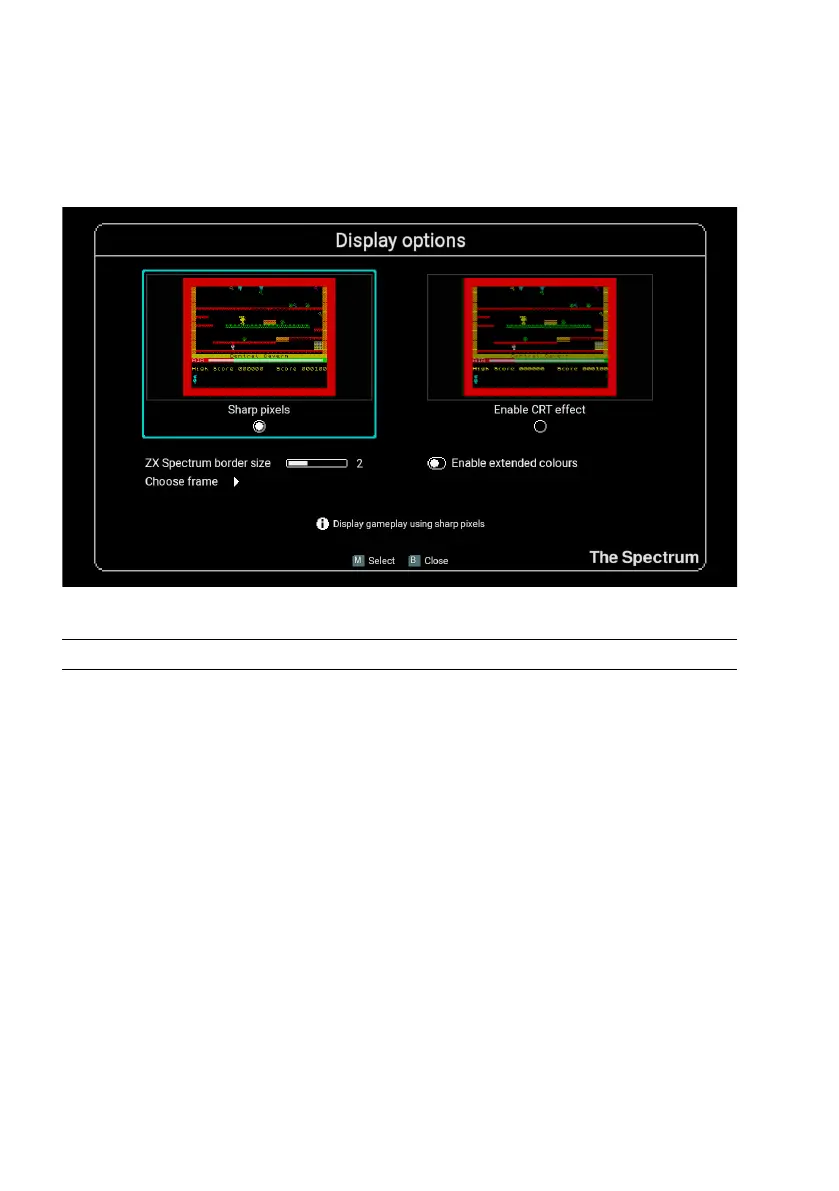
This menu contains options to control how a game’s image is displayed on the TV.
Option Description
Sharp pixels This will display the game play using square-edged pixels for a
clean, sharp image with no scanlines.
Enable CRT
effect
Enables an effect that simulates the scan lines of a classic CRT
screen while softening the edges of the pixels.
ZX Spectrum
border size
Adjust how much of the ZX Spectrum coloured border is displayed.
Particularly useful when choosing to surround the gameplay with
an attractive frame.
Enable
extended
colours
Enables ULAPlus™ colour support which increases the number
of colours The Spectrum is able to display. Turning this option on
activates the alternate colour palettes that have been individually
designed for each game on the carousel.
Choose
frame
Select an attractive frame to surround your game play.
Note: These options only affect the appearance of the game image when being
played, not the game carousel, menus or virtual keyboard.



 To Next Page