39
Adjusting the settings of a program
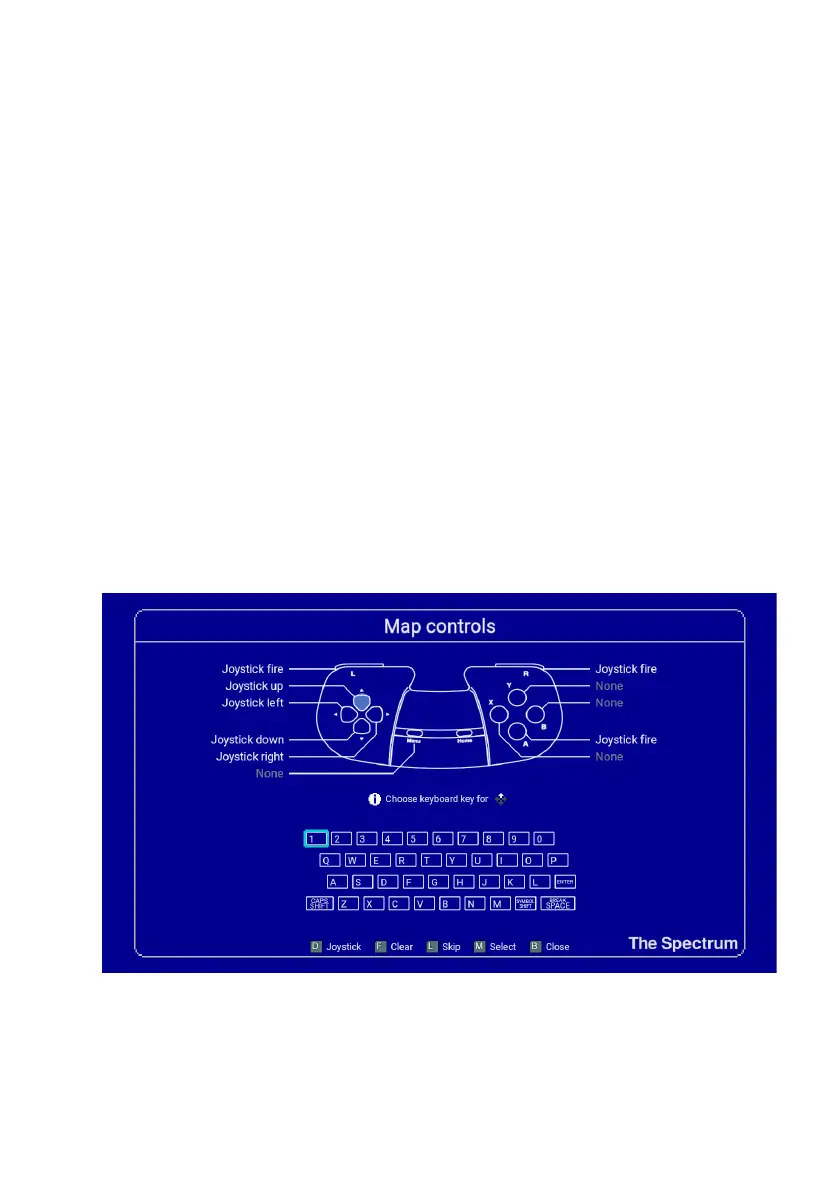
While editing, The Spectrum positions a light blue indicator over gamepad button
currently being assigned. For this button:
• To change the assigned action, use the O, P, Q and A to select the joystick action
you want to assign and press M
• To keep the assigned action, press L
• To clear the assigned action and leave it unassigned, press F
• To make a selection from a different action group, press D
Once an assignment is made, cleared or skipped, The Spectrum will move the blue
indicator to the next button, where you repeat the process until all buttons have been
assigned, cleared, or skipped.
While assigning joystick actions, pressing D will switch to the group of Keyboard actions.
Assigning keyboard actions
Assigning keyboard actions to a gamepad follows the same process as assigning
joystick actions. The Spectrum will display a representation of The Spectrum keyboard
and allow keys to be assigned to gamepad buttons.
Note: You can only assign a single key to a stick button.
Press D to switch back to the group of Joystick actions.



 To Next Page