44
Chapter 10
Switching to Classic mode
Classic mode can be entered on demand from the carousel by selecting
Options Advanced options Switch to classic mode.
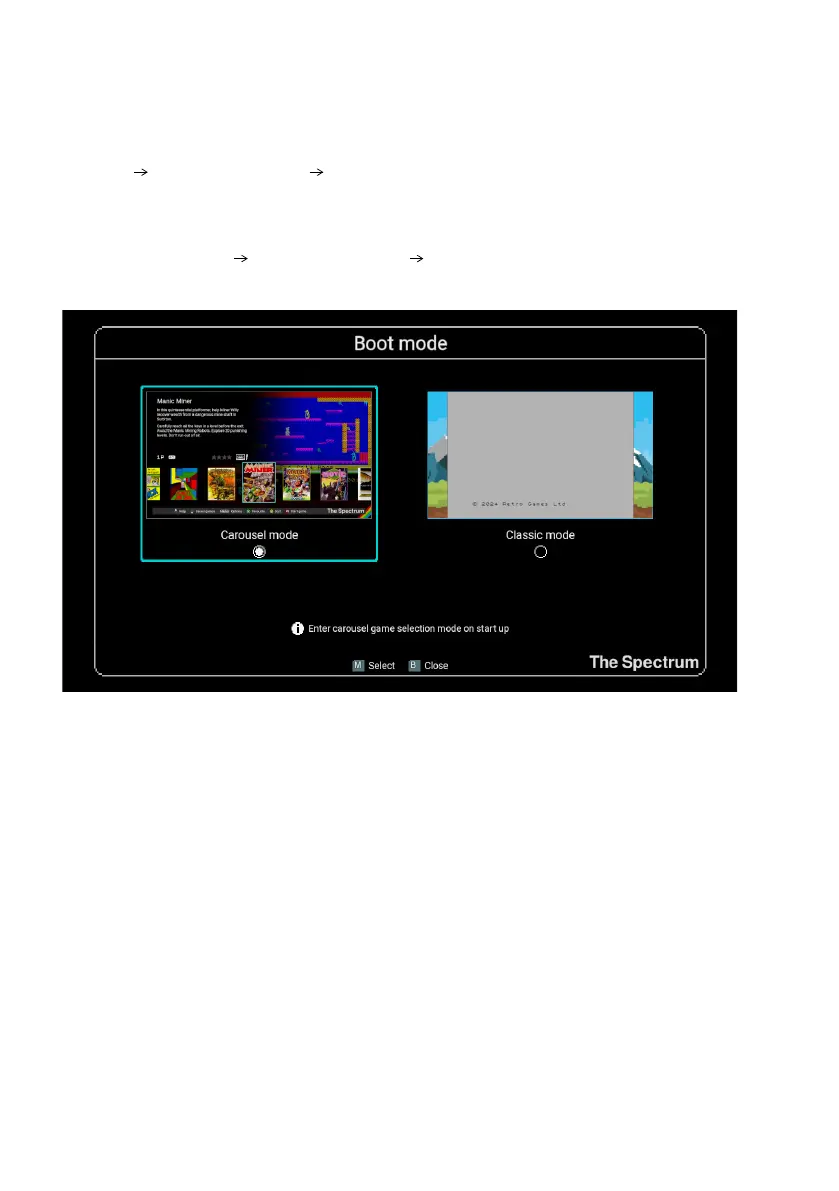
Alternatively you can choose to have The Spectrum enter Classic mode every time
you turn the power on by changing the Boot mode, a conguration screen entered
by selecting Options Advanced options Boot mode from the game carousel.
Changes made to the Boot mode conguration take effect the next time you power
on The Spectrum.
To change the boot mode while in Classic mode, access the Boot mode item from
the Classic mode options menu (see Classic mode options).
Choosing a ZX Spectrum model
The Spectrum supports both 48K and 128K models of the ZX Spectrum. On entering
Classic mode The Spectrum will default to the original 48K model, and this can be
changed by selecting Default machine settings from the options menu. See Default
machine settings for further information.



 To Next Page