ILLUSTRATED PARTS MANUALS
SERIES 7 SHREDDERS – 230v
DESKSIDE AND OFFICE MODELS
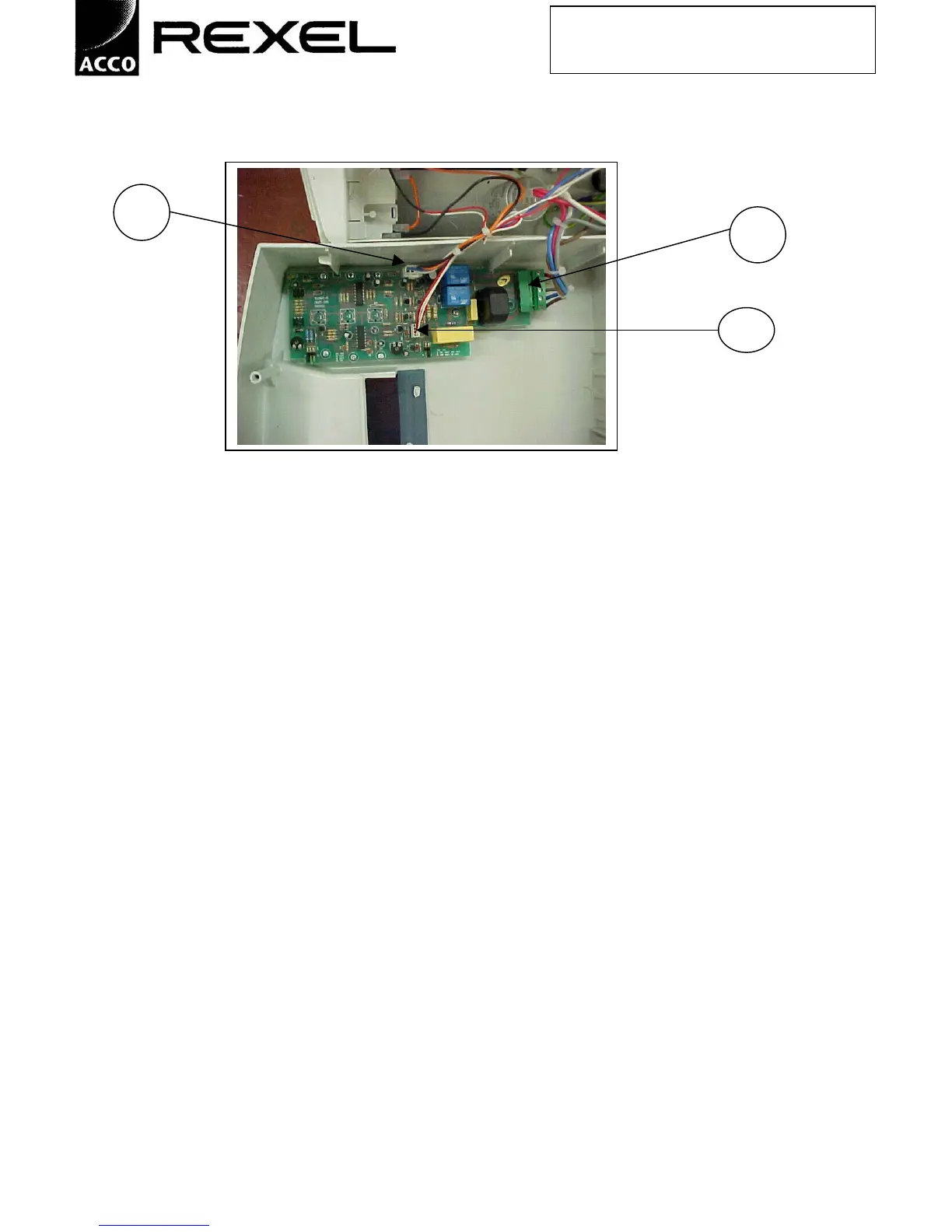
View of 250/1150 Series – PCB in top cover, plug for auto start sensors (not on model 250 S2) (A), terminal
block plug in connector (B), plug for limit switches (C).
1. Remove cover as above.
2. Disconnect push fit connectors from PCB.
3. Place cover to one side on non-abrasive material.
MODELS 1250
1. Remove cover as above.
2. Disconnect 3 push fit connectors from PCB.
3. Place cover to one side on non-abrasive material.
A
B
C



 To Next Page