ILLUSTRATED PARTS MANUALS
SERIES 7 SHREDDERS – 230v
DESKSIDE AND OFFICE MODELS
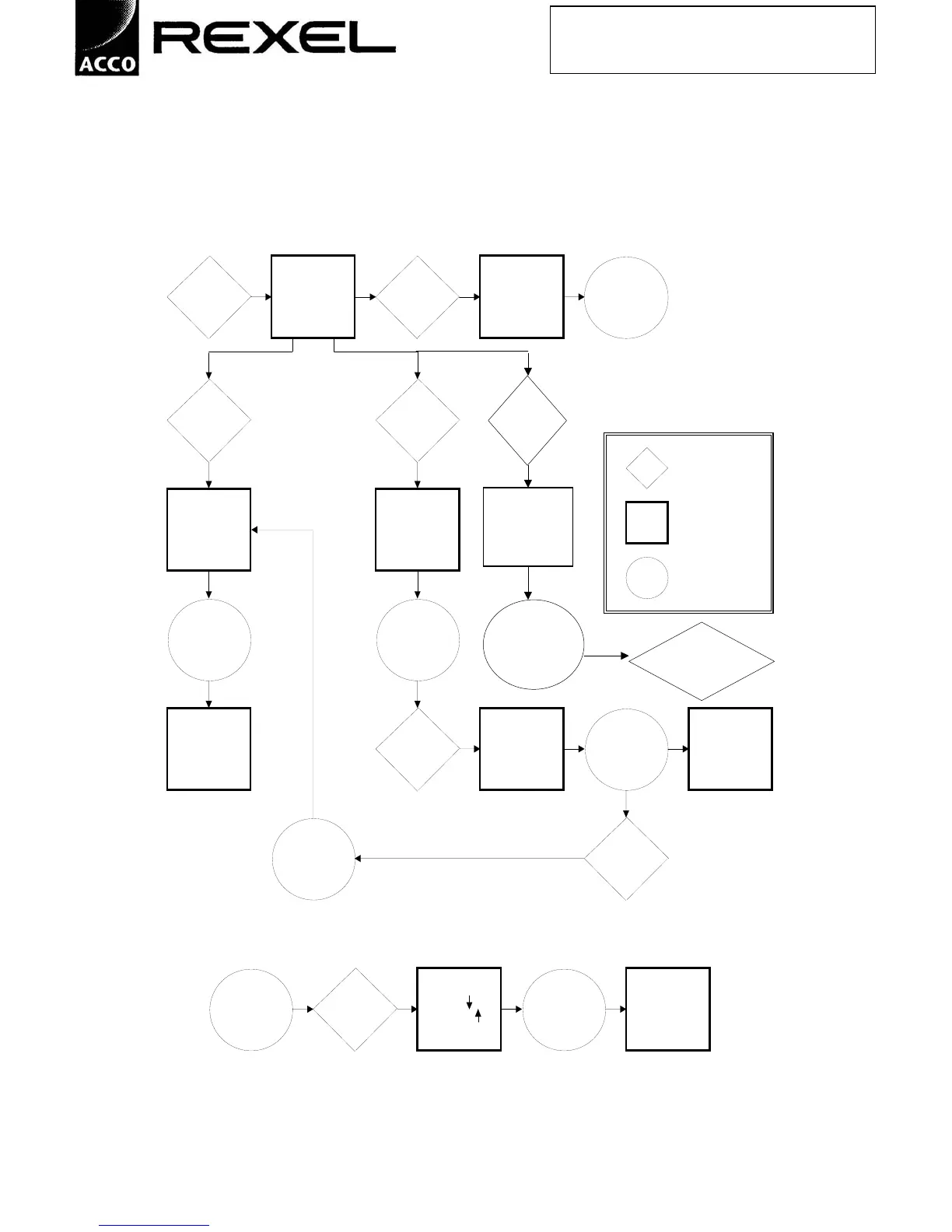
b. Flow chart to illustrate operator controls
Plug into *** Stand-by *** Insert *** Stand-by *** No
mains (MODEL NO.) paper (MODEL NO.) operation
reverse forward
Press Press
Reverse Forward
Button Button
= ACTION
*** Auto ***
*** Reversing ***
*** Caution Keep = L C D
*** Reduce quantity clear of entry -
and re-feed *** Feed paper to
start ***
= GUIDANCE
Shredder Shredder
stops when is ready
button is for
released paper
*** Run *** Motor *** Auto ***
runs until 3
*** Stand-by *** Insert *** Caution! - Keep seconds after *** Caution Keep
(MODEL NO.) paper long hair/ties clear paper has passed clear of entry -
of entry *** infeed sensors Feed paper to
start ***
Press
2 second Reverse
delay Button
ANY *** Stop! ***
SHREDDER Press Shredder
OPERATION MAY Stop *** Press to reverts to *** Stand-by ***
BE STOPPED AT Button reverse or Stand-by (MODEL NO. )
ANY TIME to continue
shredding ***
Hold
fward
button 3
secs
"Continuous"
"Caution keep long
hair and ties clear of
entry"
Shredder
Runs
Continuously
Press stop button to
exit continuous
mode



 To Next Page