8
Step 5
Power on the Camera and Format the Memory Card
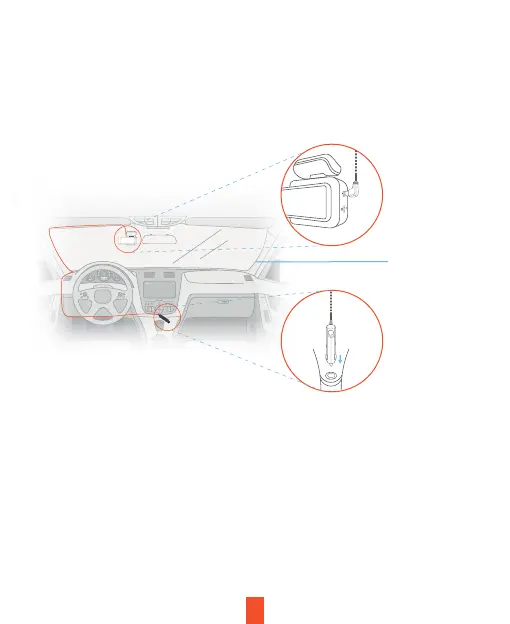
Power the camera by connecting the charger to the car cigarette
lighter and the camera.
To ensure the DT2 records to your memory card properly and without error,
we strongly recommend you to format the card within the camera when
you're using the dash cam for the first time.
Note:
Always remember backup important data stored on the memory card
before formatting.
The camera will shut down after 3 seconds when it's disconnect from the
power source and it should begin recording automatically the next time it is
powered on.
Plug the
Type-C
Connector to
the dash cam
Route the
power
cable
Plug the
charger into
the power
outlet or a
cigarette
lighter


 To Next Page