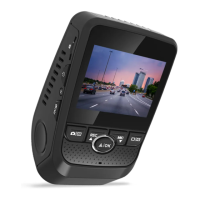
Need help?
Do you have a question about the Rexing DT2 and is the answer not in the manual?
Instructions for mounting the adhesive base to the vehicle.
Guidance on preparing and applying windshield stickers.
Detailed steps for formatting the memory card via the camera menu.
Information on how the device powers on automatically or manually.
Enabling parking monitor via vibration detection with a hardwire kit.
Enabling parking monitor via motion detection with a hardwire kit.
Details about the device's 12-month warranty and extension options.
Contact information and typical response times for product support.
 General
| Field of View | 170 degrees |
|---|---|
| GPS | No |
| Wi-Fi | No |
| G-Sensor | Yes |
| Loop Recording | Yes |
| Parking Monitor | Yes |
| Night Vision | Yes |
| Resolution | 1080p |
| Memory Card | MicroSD card, up to 128GB |
| Screen Size | 2.4 inches |

 To Next Page