17
Installation
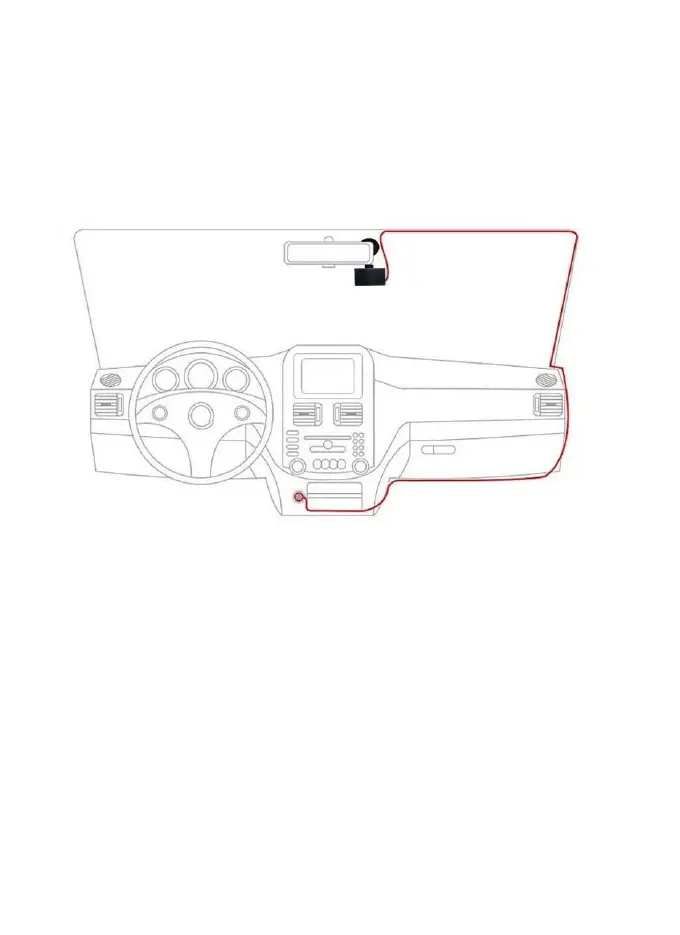
1. Attaching the dash cam to the window mount
Before the device can be used in a car, it is essential to first
install a properly attached window mount. Make sure that you
place the recorder in a safe, appropriate location where it will
not obstruct the driver’s view.
Clean windshield before apply mount, do not attach camera for
at least 20 minutes.
2. Inserting a memory card
You will need to insert a memory card before you can begin
recording. The recorder supports Micro SD cards with a
capacity of up to 128GB (FAT32 or exFAT format only, 64GB
/ 128GB cards should be formatted in the dash cam before


 To Next Page