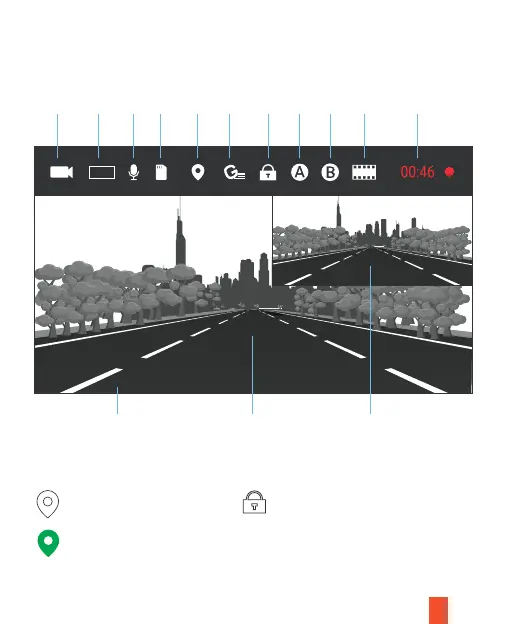
Screen Display While Filming
17
TF
02 07 2021 18:45:25
Record
Resolution
Voice
Record
Memory
Card
G sensor
sensitivity
Date and time indication,
sync after GPS connected
No GPS reception
Emergency Filming Icon
The icon will be only shown when the
video is locked.
Hold remote control button for 3 secs
OR Press the Mode button, to lock the
current video.
GPS reception received
Display for lens 1 Display for lens 2
GPS
Signal
Locked
video
Lens 1 Lens 2
Cycling
time
Filming
Note 1 Note 2
FHD



 To Next Page