11
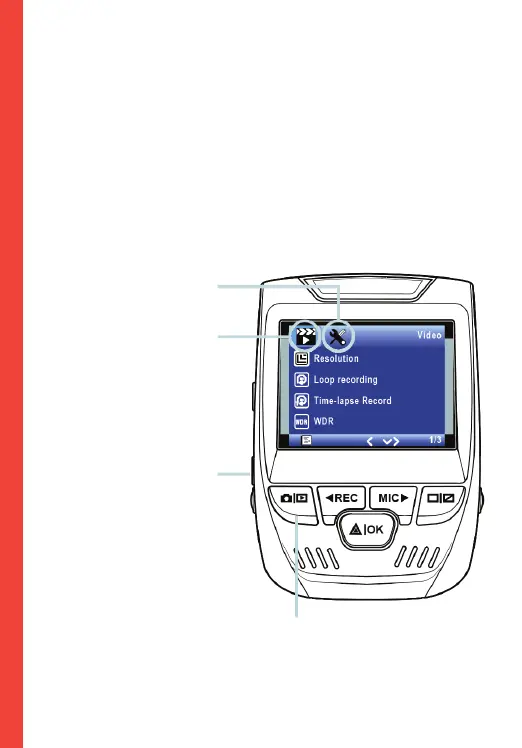
Menu Settings
Power the camera on. If the camera is recording, press the
REC button to stop recording. Press the MODE button to
toggle to the desired mode.
Press the MENU button once to enter the settings menu for a
Mode. Press the MENU button twice to enter the System
Settings.
System icon
Video Mode icon
Press the Menu button to
select the desired setting
Press the Mode button and toggle
to the desired Mode



 To Next Page