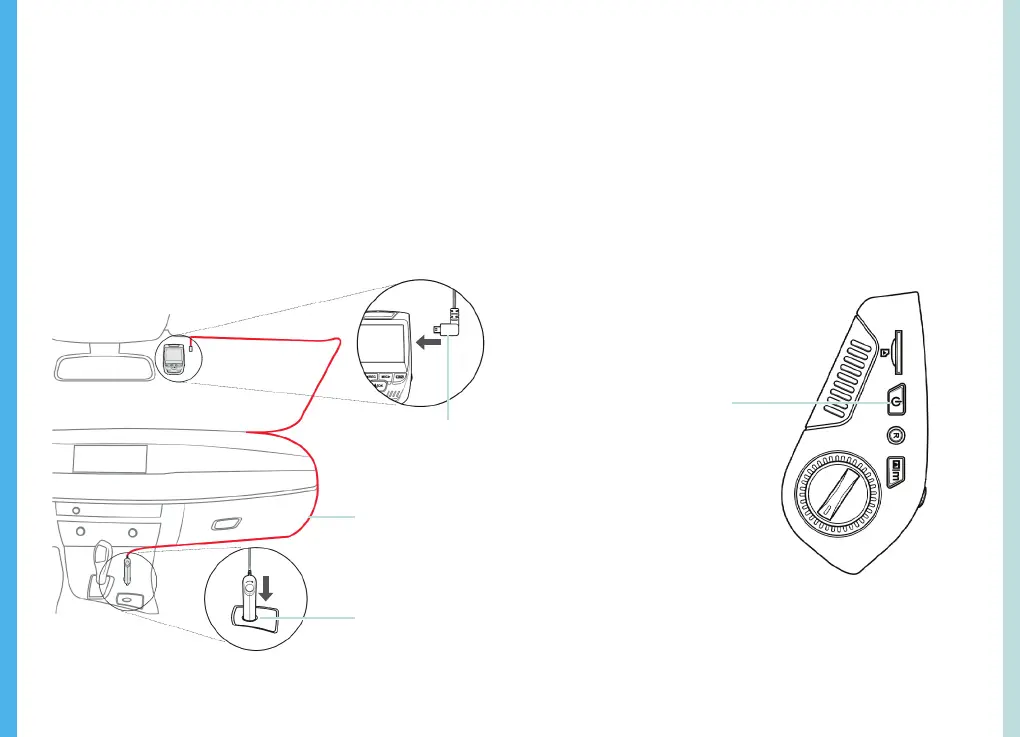
Place the camera on the mount and carefully route the power
cable around the windscreen and tuck in under the trim.
Plug the Car Charger Cable into a 12V DC power outlet or the
car cigarette lighter.
Connect car charger to the camera. The camera will auto-start
recording once powered on.
Plug Mini 5 pin
Connector to the
Dash Cam
Press an hold the POWER
button to turn the device on
manually
Route power
cable to the Dash
Cam
Plug charger into
power outlet or
cigarette lighter
8
9
Step 5: Installing the Camera onto the Windshield
Device Power
Power Setting
5. Basic Operation
The device is automatically powered on when plugged into a
12V accessory socket or cigarette lighter and received a
charge (i.e. the vehicle is started).
To turn the device on manually, press and hold the POWER
button until the welcome screen appears.
The camera will automatically start recording when power on.
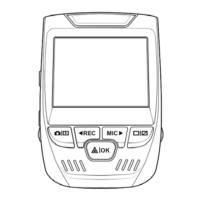
Power the camera on. If the camera is recording, press the
REC button to stop recording. Press the MODE button and
toggle to the desired mode.


 To Next Page