Need help?
Do you have a question about the Rexing M2 and is the answer not in the manual?
Step-by-step guide for installing the dashcam device.
Instructions for installing the optional rearview camera.
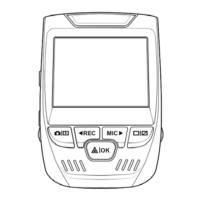
Explains video mode interface and key function buttons.
Details on starting, stopping, and managing video recordings.
How to access the main menu and setup options.
Guide for calibrating the Advanced Driver Assistance System.
Guide for calibrating the Blind Spot Detection system.
Navigating and managing video and image files.
Settings for loop recording, resolution, and G-sensor.
Configuration for parking monitoring, mirroring, mute, and timestamp.
Enables display of traveling track information with video.
Explanation of the GPS player's functionalities and controls.
Overview of how recorded files are organized on the storage card.
Recommendations for backing up important video and image files.
 General
| GPS | Yes |
|---|---|
| Wi-Fi | Yes |
| G-Sensor | Yes |
| Loop Recording | Yes |
| Parking Monitor | Yes |
| Item Weight | 4.8 ounces |
| Night Vision | Yes |
| Camera Resolution | 1920x1080p Full HD |
| Field of View | 170° |
| Memory Card Support | Up to 256GB |
| Power Source | 12V car adapter |


 To Next Page