Basic Operations
I. Video Mode
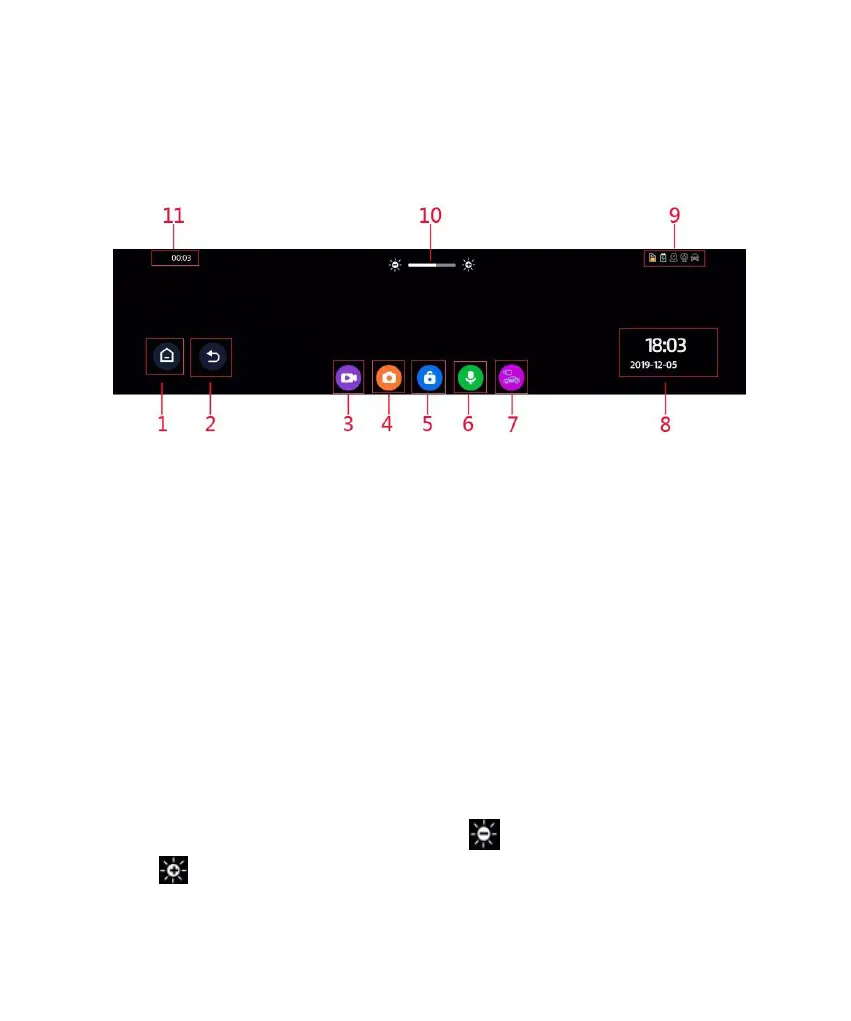
Key Functions:
1. Return to the main interface
2. Return to the previous operation menu
3. Start/stop video recording
4. Take a snapshot
5. Locking/unlocking (if locked) a file
6. Audio recording on/off
7. Front/rear view switching
8. Time, date, and weekday display
9. Status bar: An icon that is illuminated indicates a corresponding enabled
function; a function that is disabled is shown in gray.
10. Adjustment of screen brightness. Click to decrease brightness and
click to increase brightness.



 To Next Page