V. Playback Mode (File Management)
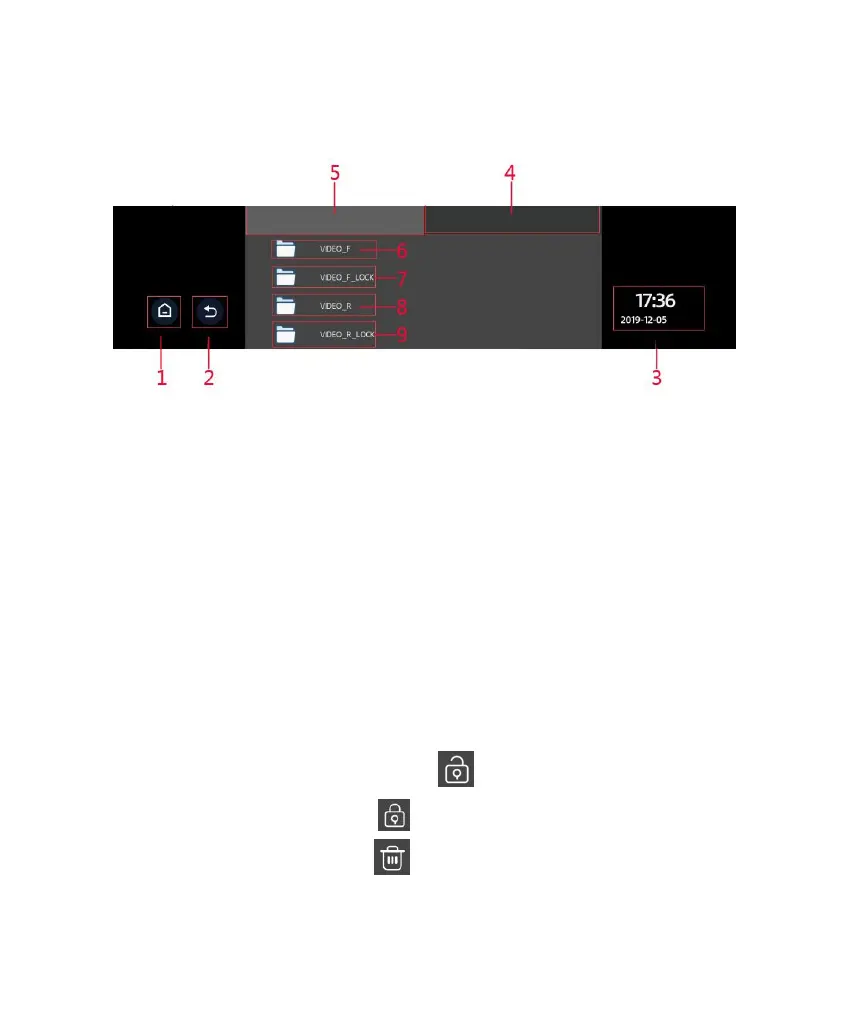
Key Functions:
1. Return to the main interface
2. Icon to return to previous operation
3. Time, date, and weekday display
4. Image files
5. Video files
6. Front camera video file
7. Front camera locked video file
8. Rear camera video file
9. Rear camera locked video file
Enter the file list interface and touch the icon to lock a video file. For a
locked video file, touch the icon to unlock the file. For unwanted video
and picture files, touch the icon to delete the file. To play a video file,



 To Next Page