11. Video recording state and duration
Video Recording Operation:
With a MicroSD card inserted in the device, it will record automatically in
video mode after starting. A red indicator will flash in the upper left corner
of the screen during video recording. Press the icon to stop recording.
Press the icon to start recording when no recording is active.
Press the icon to take a snapshot. Press the unlocked icon during
recording will lock the current video file and the icon will change to the locked
icon at the same time. Press the icon again to unlock the current
video and the icon changes to the unlocked icon .
Press the icon to stop audio recording. Touch the icon again to start
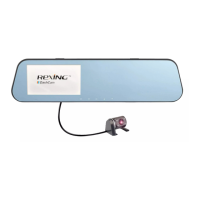
audio recording. Swipe the screen up/down to change the view from the front to
the rear image.
II. Main Interface
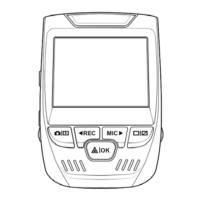
The default interface is video recording screen after starting. Press the
icon to access the main interface, which is the entry that can be used
to access all functions and setup menus. The interface is shown below.



 To Next Page