15
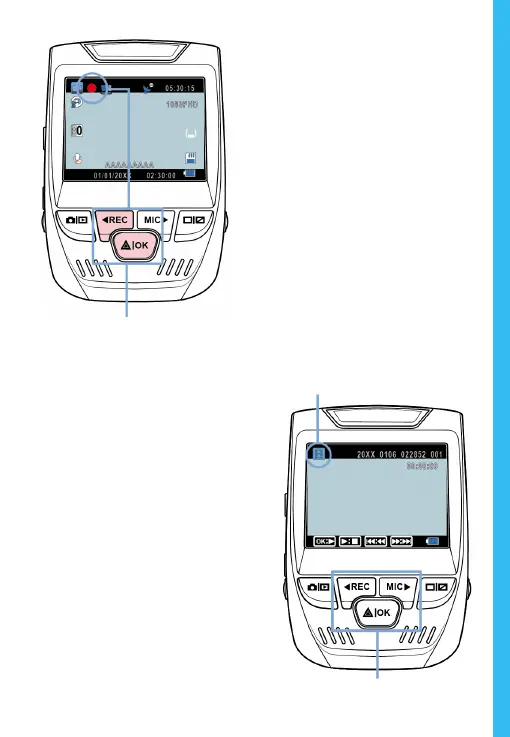
The camera automatically start
recording when powered on
Video Recording
The camera will automatically
start recording when the
device receives a charge. The
LED lights and the red dot
will blink when the device
is recording. Press the
REC button to stop
recording.
Playback mode
Control playback with these buttons
Video Playback
P
layback of videos can
be done on the device or
a computer. Also, if you
have purchased a Rexing
GPS Logger you may play
back the recordings in
a specialized application.
To playback a video on the
device, toggle to the
Playback mode. Use the
REC and MIC buttons to
toggle to the desired video.
Press the OK button to play.


 To Next Page