3736
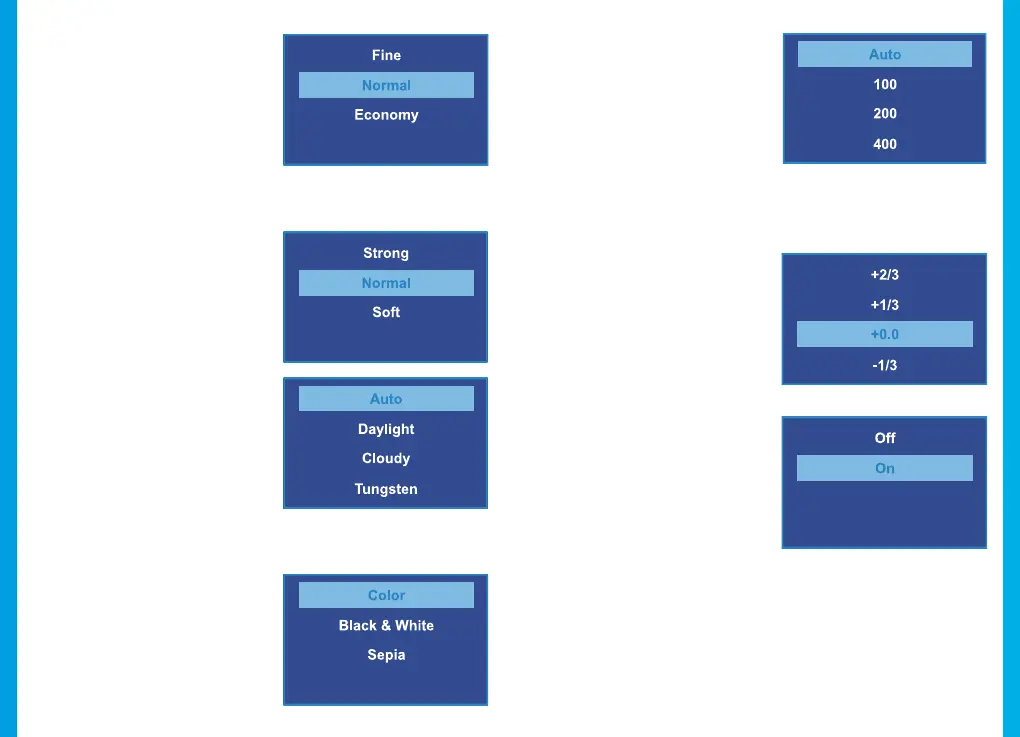
Quality
Default setting: Normal
Set the quality level of captured
images. Lower quality images
will take up less space on the
memory card, but they are
more visually compressed than
higher quality images.
Sharpness
Default setting: Normal
Automatically enhance images
for a clearer, more distinct
picture.
White Balance
Default setting: Auto
Adjust the white balance for
dierent lighting environments.
When set to Auto, the camera
will automatically determine
the appropriate white balance
for each shot.
Color
Default setting: Color
Overlay a color eect for
captured images. When set to
Normal, no overlay is applied.
Default setting: Auto
Adjust the camera’s sensitivity
to light when taking photos.
The higher the ISO, the better
the camera operates in low
light, although images are
produced with more noise
(grainy-looking).
Exposure
Default setting: +0.0
Adjust the camera exposure
value to manually brighten or
darken your images.
Anti-Shaking
Default setting: On
When enabled, the camera
will automatically reduce
the amount of blurriness
resulting from quick or “shaky”
movement.
ISO



 To Next Page