Integr a Sun K VM Switch
3
Configurations
Integra Sun KVM switches are available in 1-console- and 2-console-
to-8-port models to support a v ariety of requirements. For applications
with a large number of serv ers, Sun KVM switch modules can be
cascaded in a master/slave conf iguration.
Sun KVM Switch Models
Model ISM108 ISM2208
No. of console supported 1 2
No. of Sun server supp orted 8 8
Single Sun KVM Switch Configuration
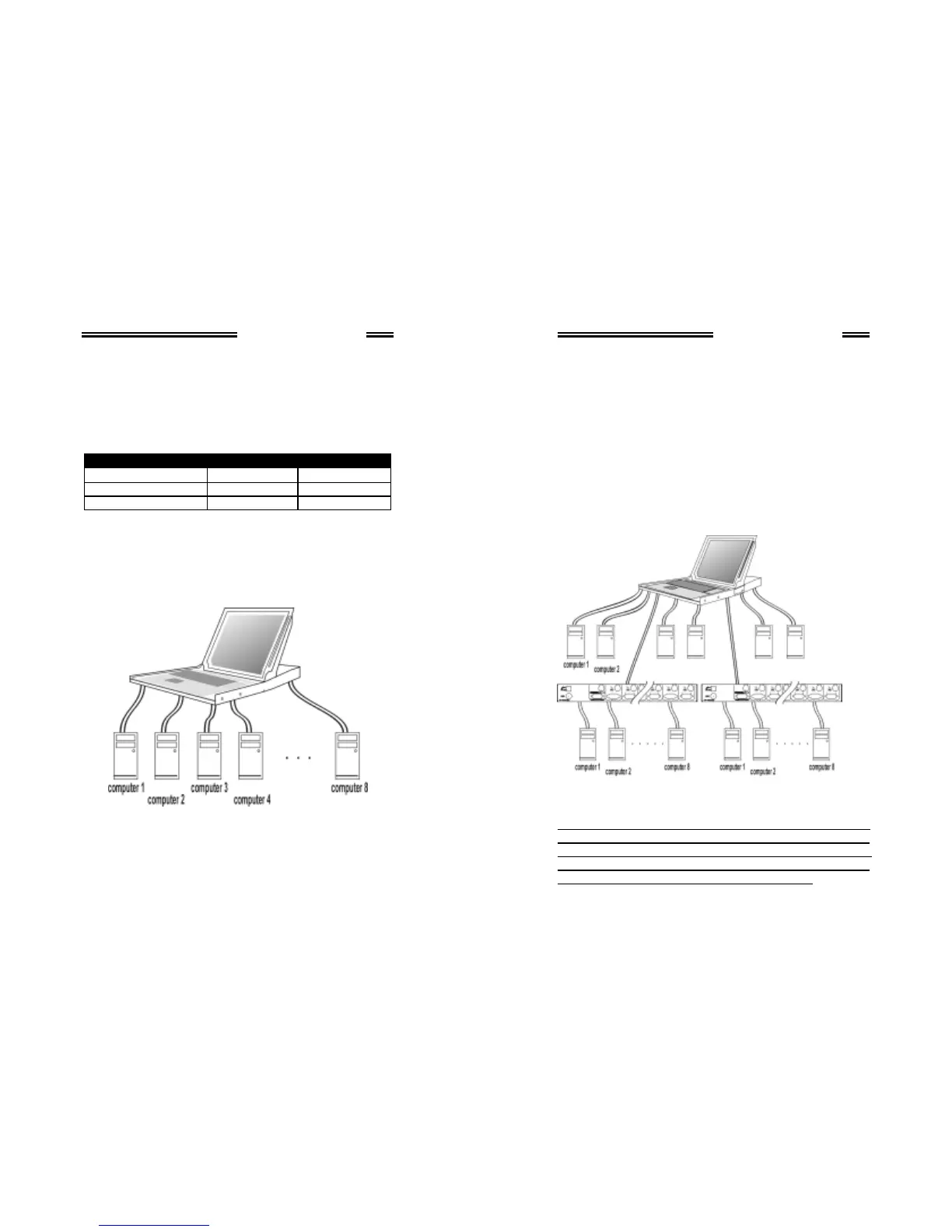
Combined with an Integra Console, the Sun KVM Switch can be
connected to multiple Sun servers with key board/mouse and monitor
cables as shown in figure 1.
Figure 1: A single Sun KVM Switch configuration
Integr a Sun K VM Switch
4
Cascade (Master/Slave) Configuration
You can connect a second level of one or more Sun KVM Switches to
"PC 1"~”PC 8” po rts of a Master unit. Cascade configuration
expands system ability allowing y ou to select servers connected to
the Master or Slaves. There is only one Master that connects to the
Integra Console directly operated by a user.
Once connected, Sun KVM Switches automatically conf igure
themselves to either Master or Slave. Slaves of dif f e rent Sun K VM
Switch models can be mixed in cascade configuration as shown in
f igure 2.
Figure 2: A cascade Integra configuration
Throughout this manual, Master is the Sun KVM Switch hav ing its C-
36 connector connected to an Integra Console or having its LOCAL
port connected to a set of Sun key board, mouse and monitor. Slave is
a Sun KVM Switch with its CONSOLE port connected to “PC x” port
of a Master. Slave only exists in cascade conf iguration.



 To Next Page