5
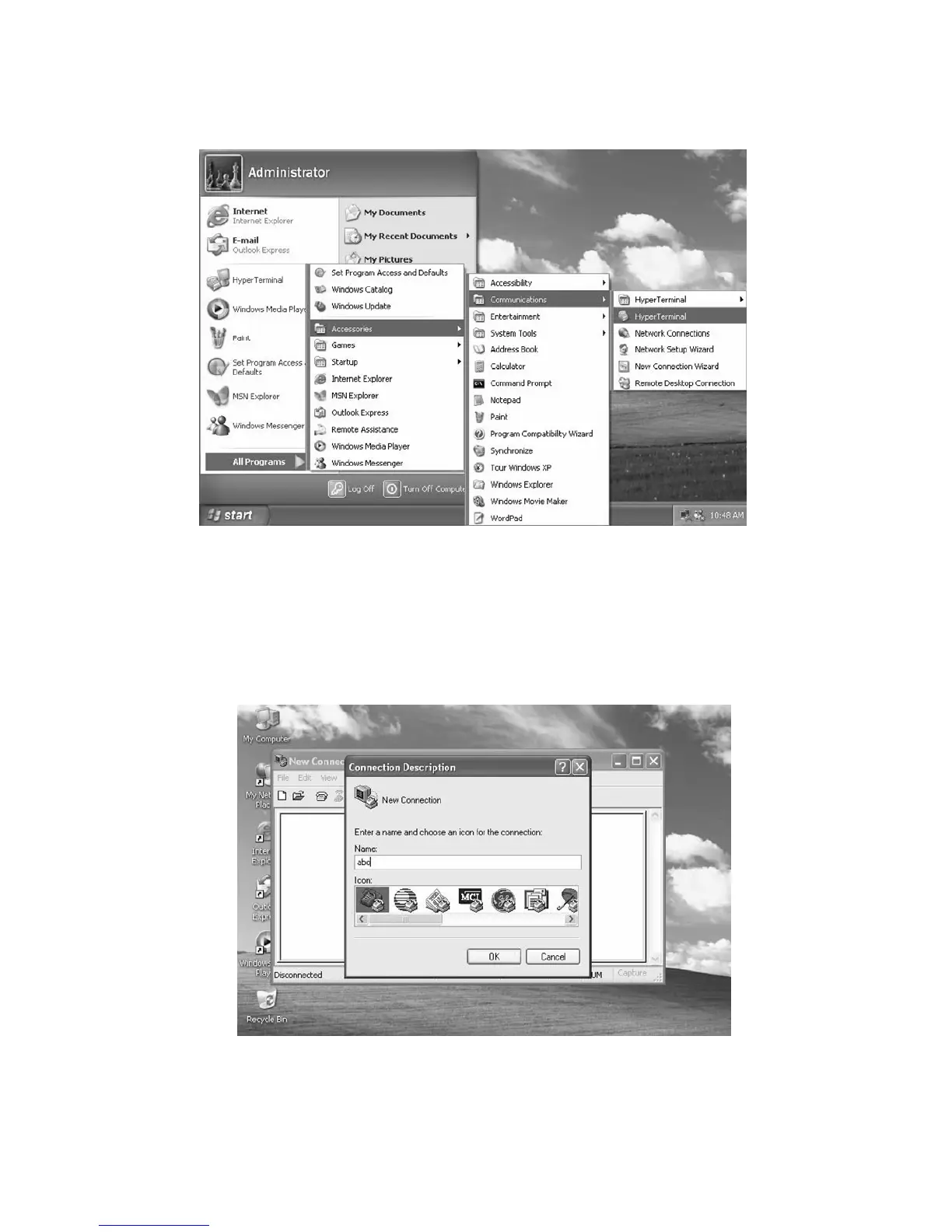
Step 2. From your computer, select “HyperTerminal” as following.
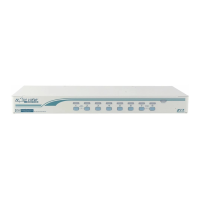
Step 3. If you never setup your HyperTerminal before, it will ask you to input your phone area
code, please feel free to do so, and then click “OK”, you will get the following screen.
Please type any name you prefer, for example, “abc”.



 To Next Page