4
The Second Way: Using the HyperTerminal via Serial Port
Hardware Necessary for this way
I. A Digital KVM via IP unit with a power adapter
II. A computer with a keyboard, mouse and monitor
III. A CAT-5 cable with RJ-45 connector
IV. A DB9 RS-232 null modem cable
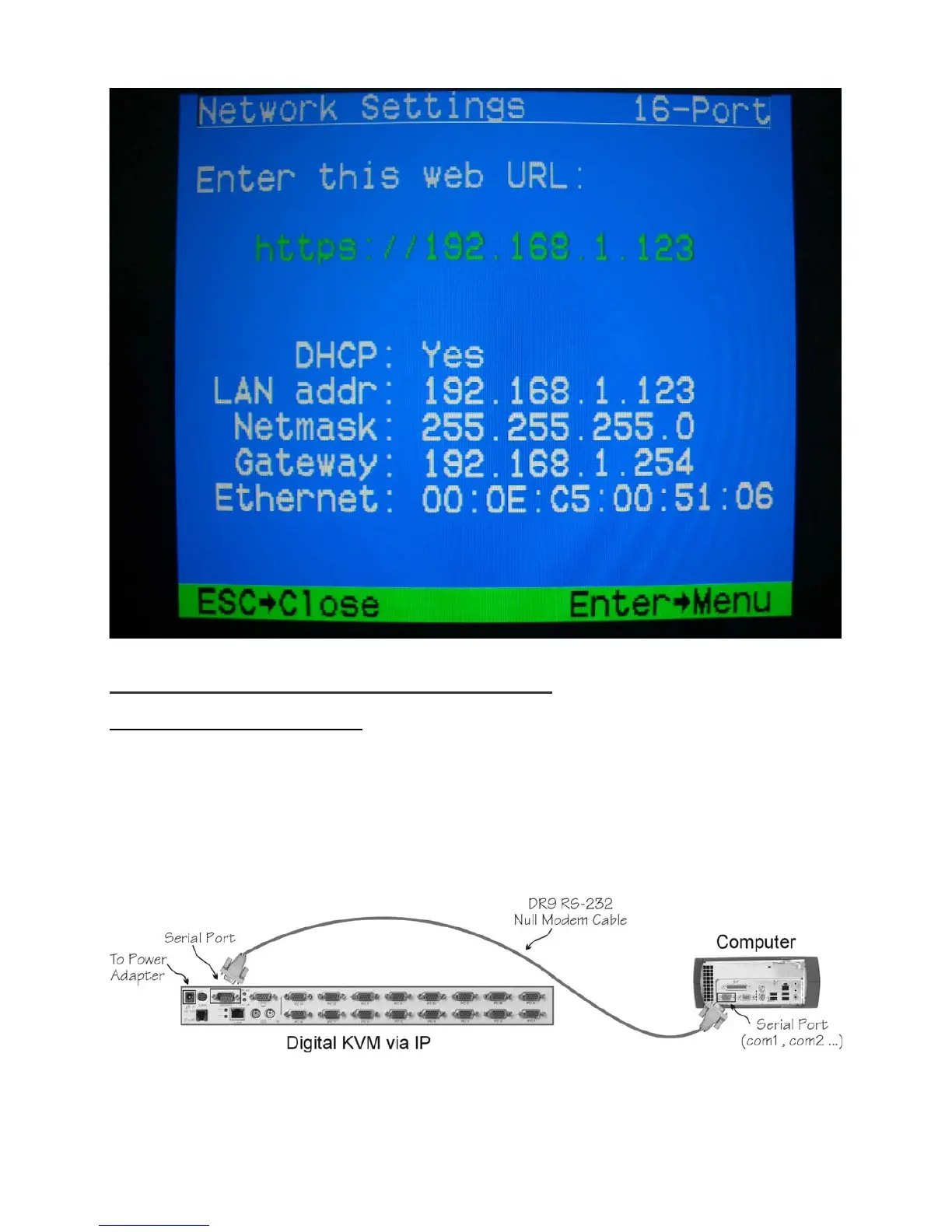
Step 1. Connect the DB9 RS-232 null modem serial cable to the serial port of Digital KVM via IP.
And, connect the other end to the serial port (COM1, COM2…) of your computer.



 To Next Page