3
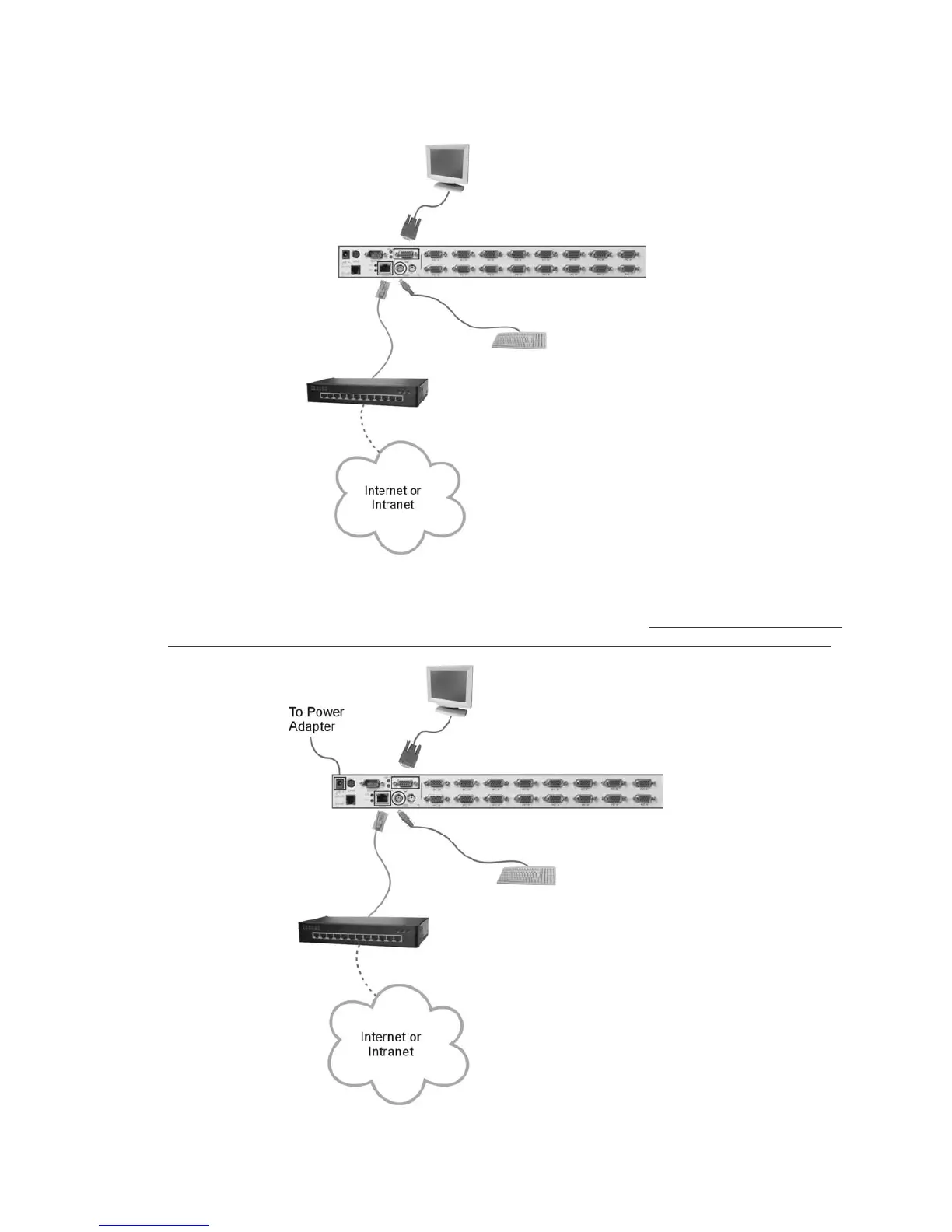
Step 2. Connect a CAT-5 cable to the LAN port of Digital KVM via IP, making it online.
Step 3. Power up the monitor and Digital KVM via IP, the IP-OSD menu comes up automatically;
simply follow the step-by-step instructions to finish the initial setup. If you would like to bring
up the menu, please simply use your paperclip or pen to press the “IP SETUP” button.



 To Next Page